Tateyama Kurobe Alpine Route WEB Ticket User's Guide
buy WEB Ticket HERE
STEP1:Membership registration
Membership registration is needed to buy WEB Ticket.
<Necessary things to register>
・Email address
・Password

STEP1:Membership registration
1.Start of registration
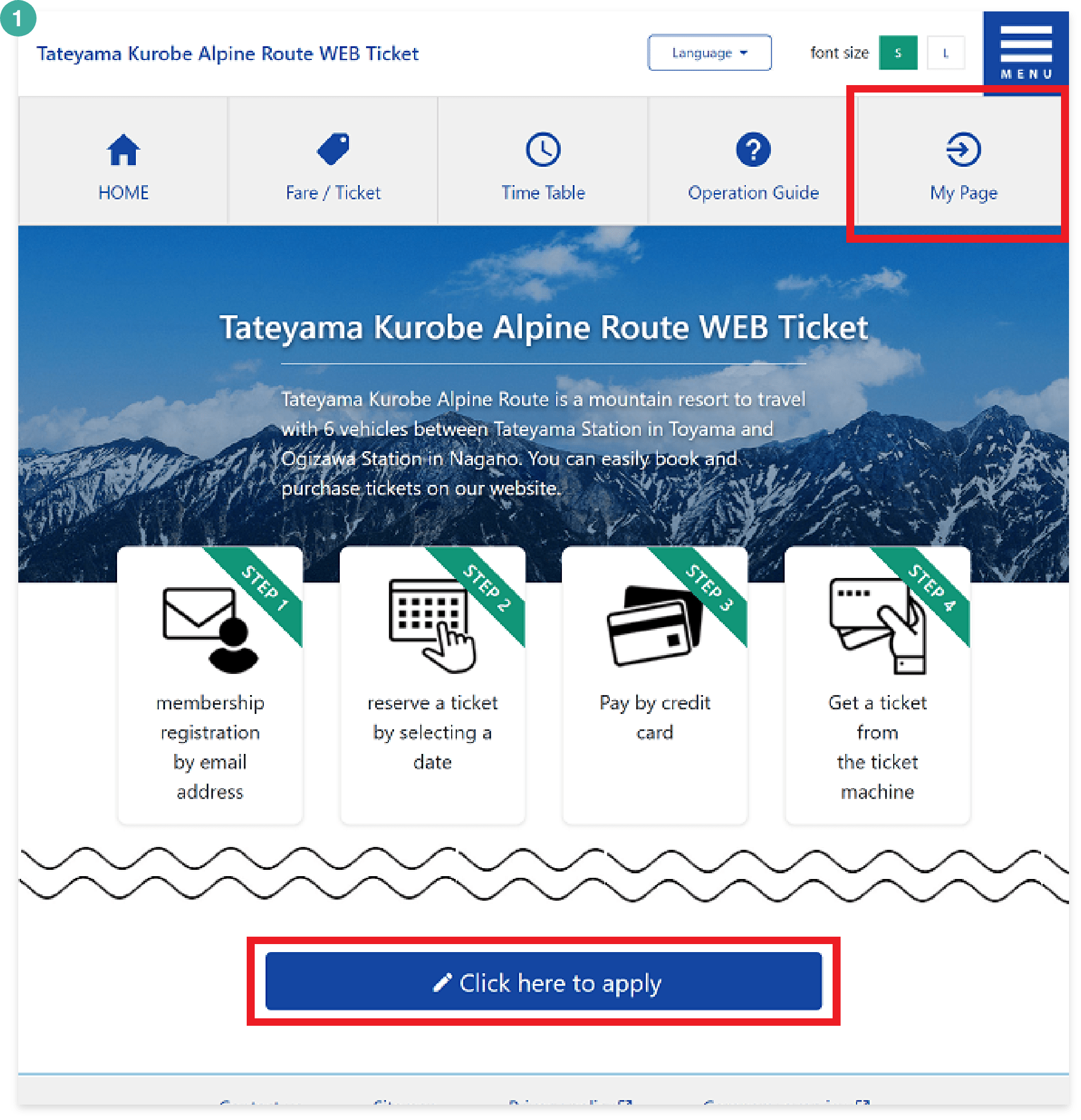
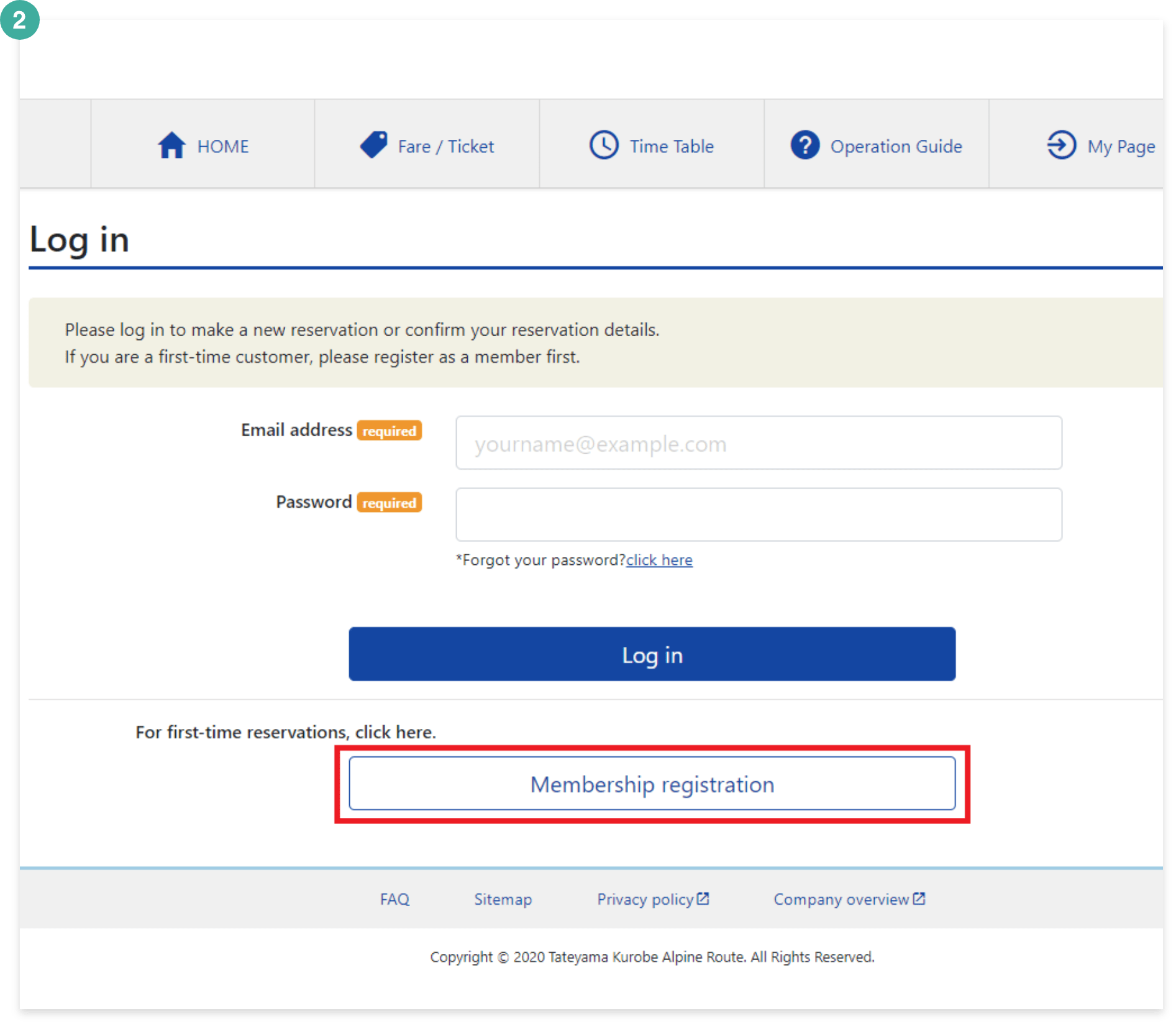
STEP1:Membership registration
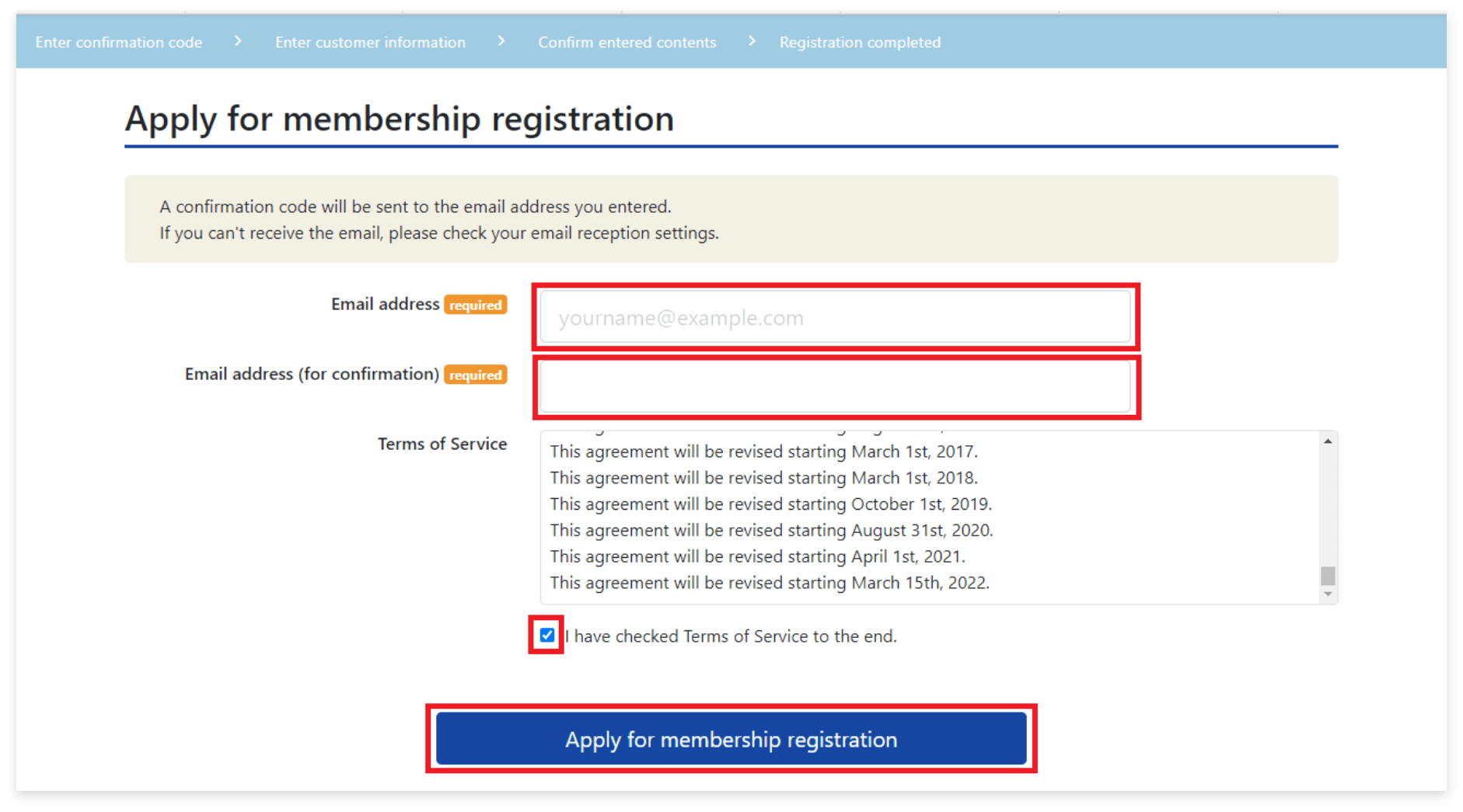
2.Enter email address
After you read the "Terms of Service" to the end, a check mark will be placed on the box automatically.
Click "Apply for membership registration" finally.
STEP1:Membership registration
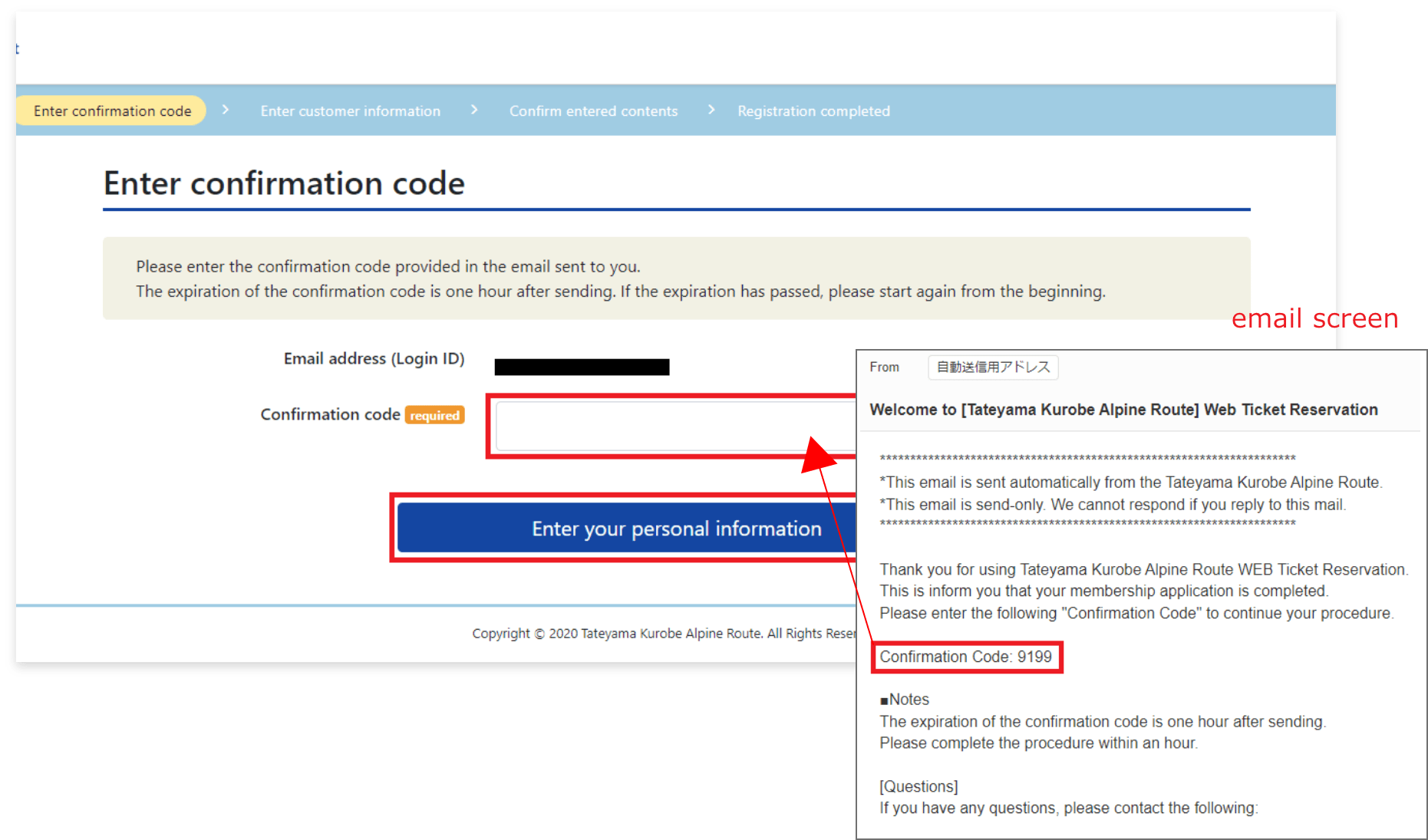
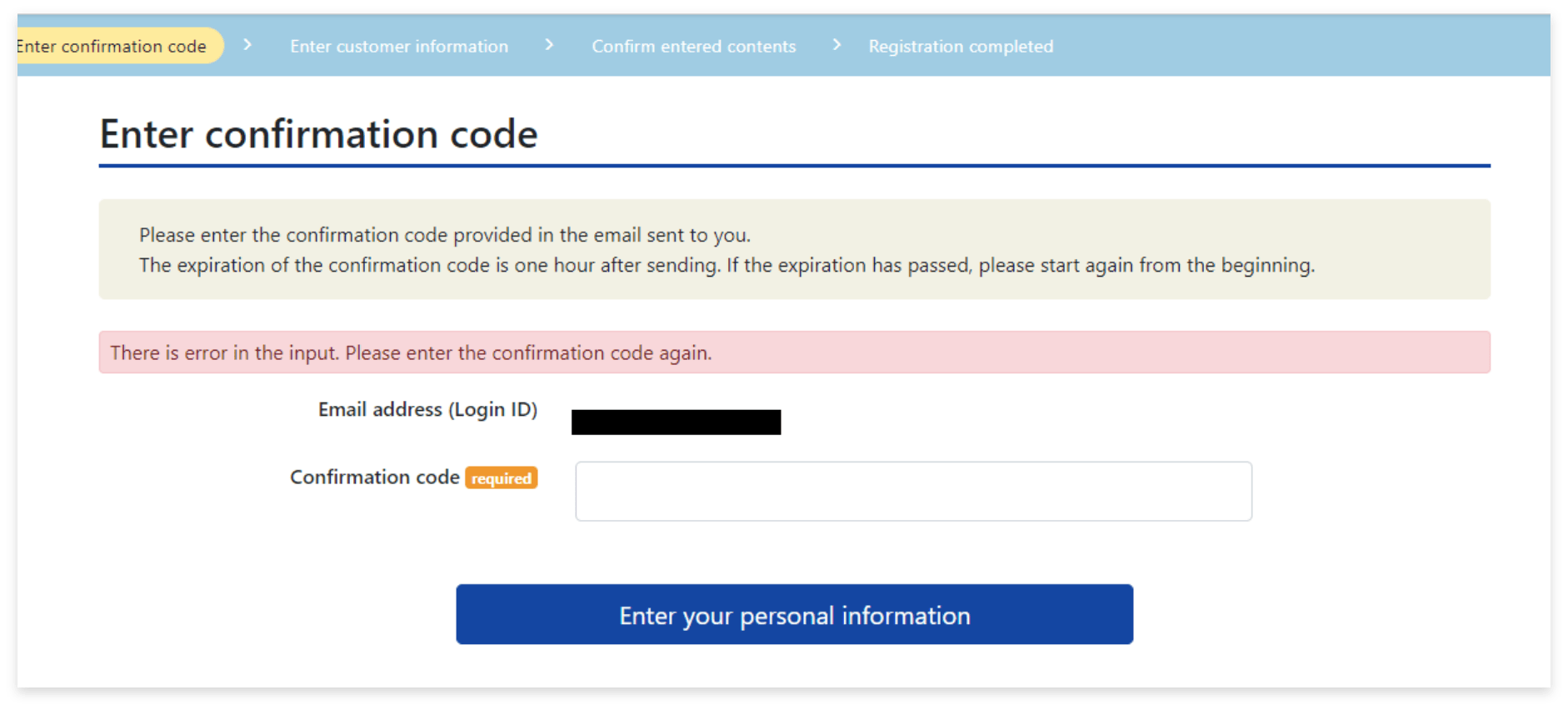
3.Enter confirmation code
Click on "Enter your personal information".
- The confirmation code is valid for one hour.
- If you don't receive the email, it might be blocked by your spam filter.
STEP1:Membership registration
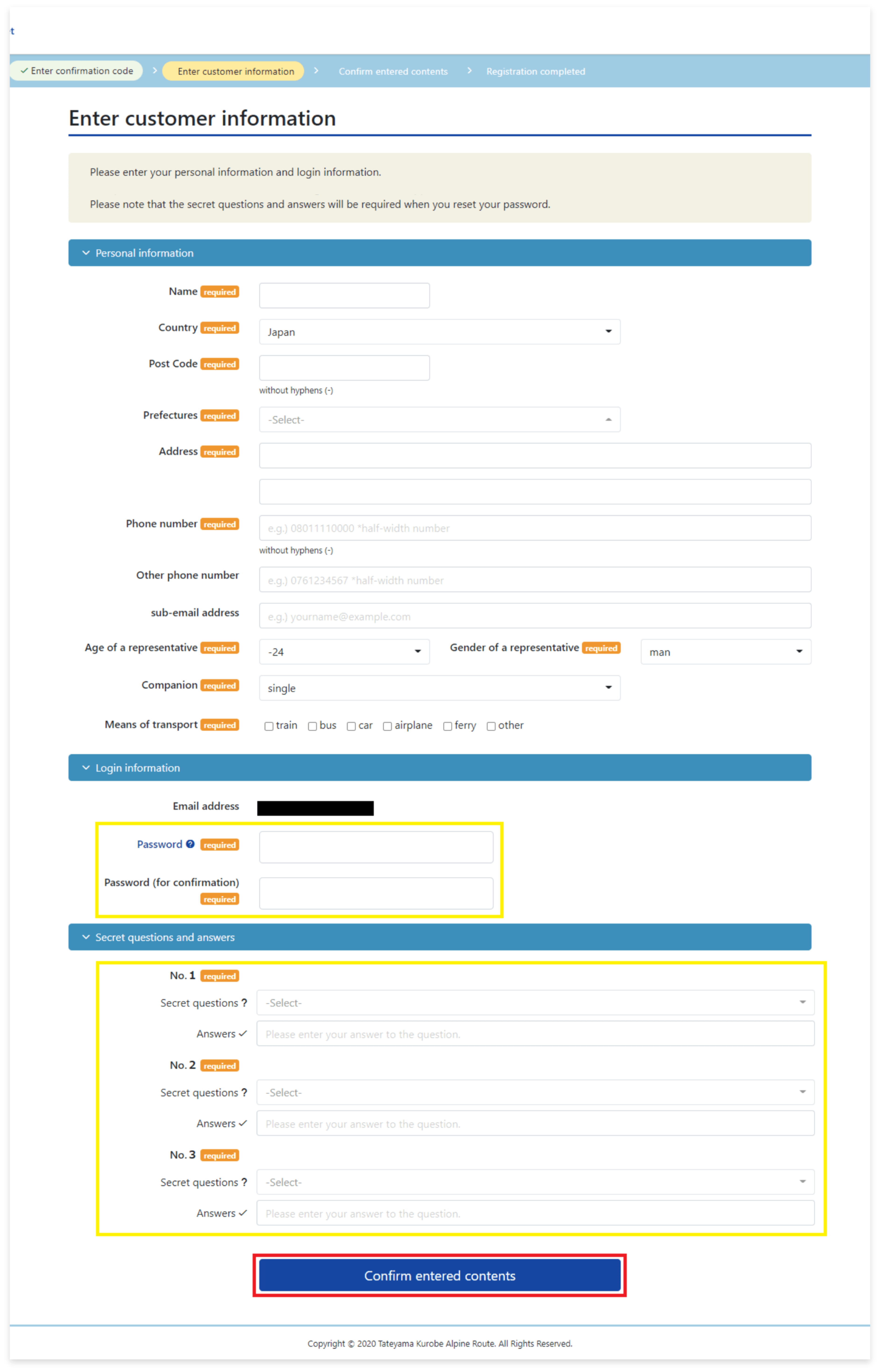
4.Enter customer information
Enter your Personal information, Login information, and Secret questions and answers.
Click "Confirm entered contents" finally.
- Secret questions and answers will be required when you reset a password.
STEP1:Membership registration
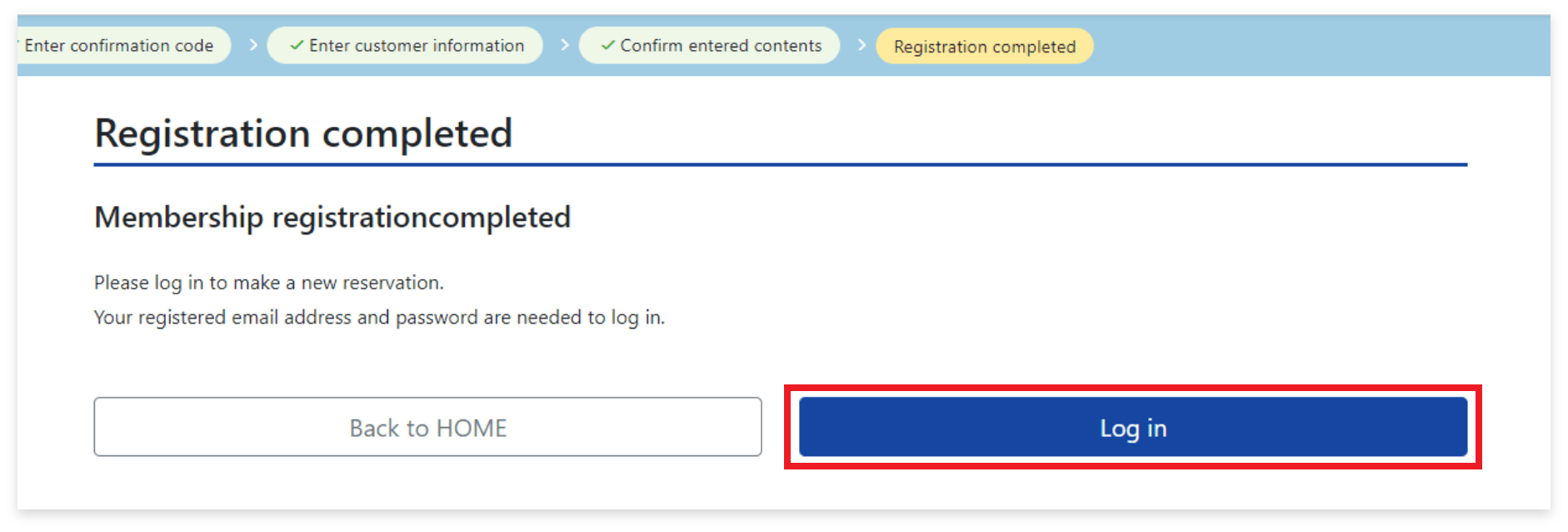
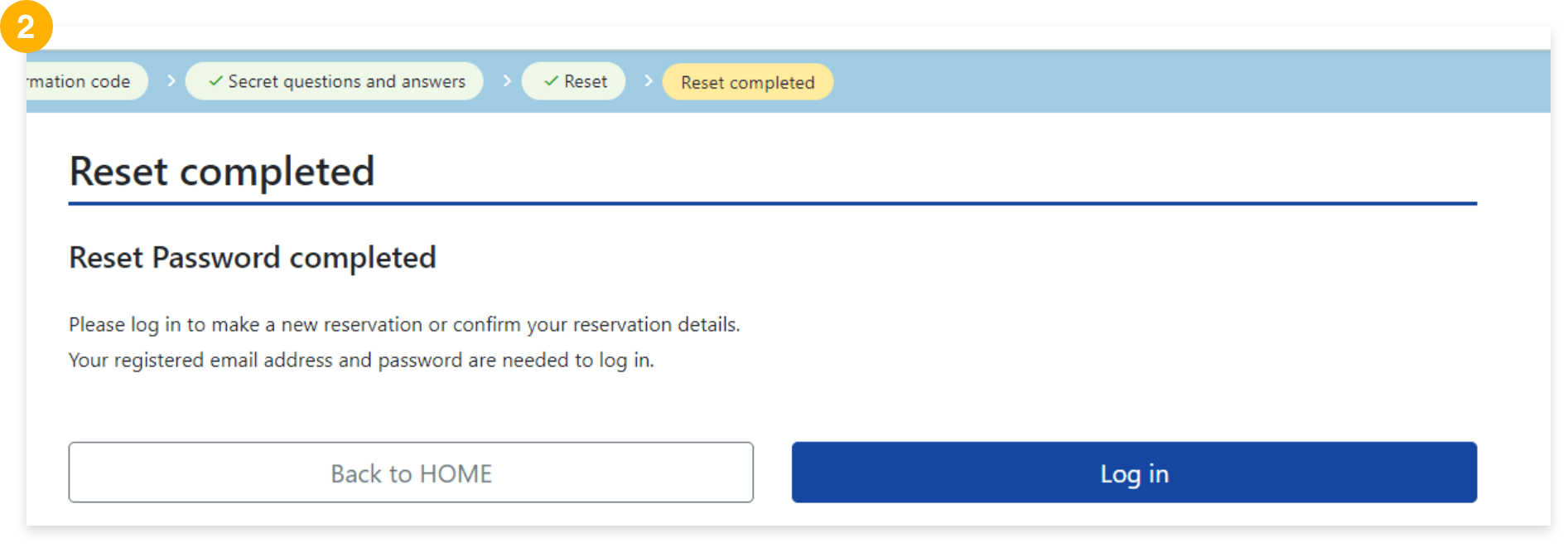
5.Complete registration
From the login page, you can log into My Page with registered email address and password.
buy WEB Ticket HERE
STEP2:Make a reservation
Login to the WEB Ticket website from My page to reserve tickets.
<Necessary things>
・Registered email address
・Registered password
・Credit card
STEP2:Make a reservation
1.Log in to My Page
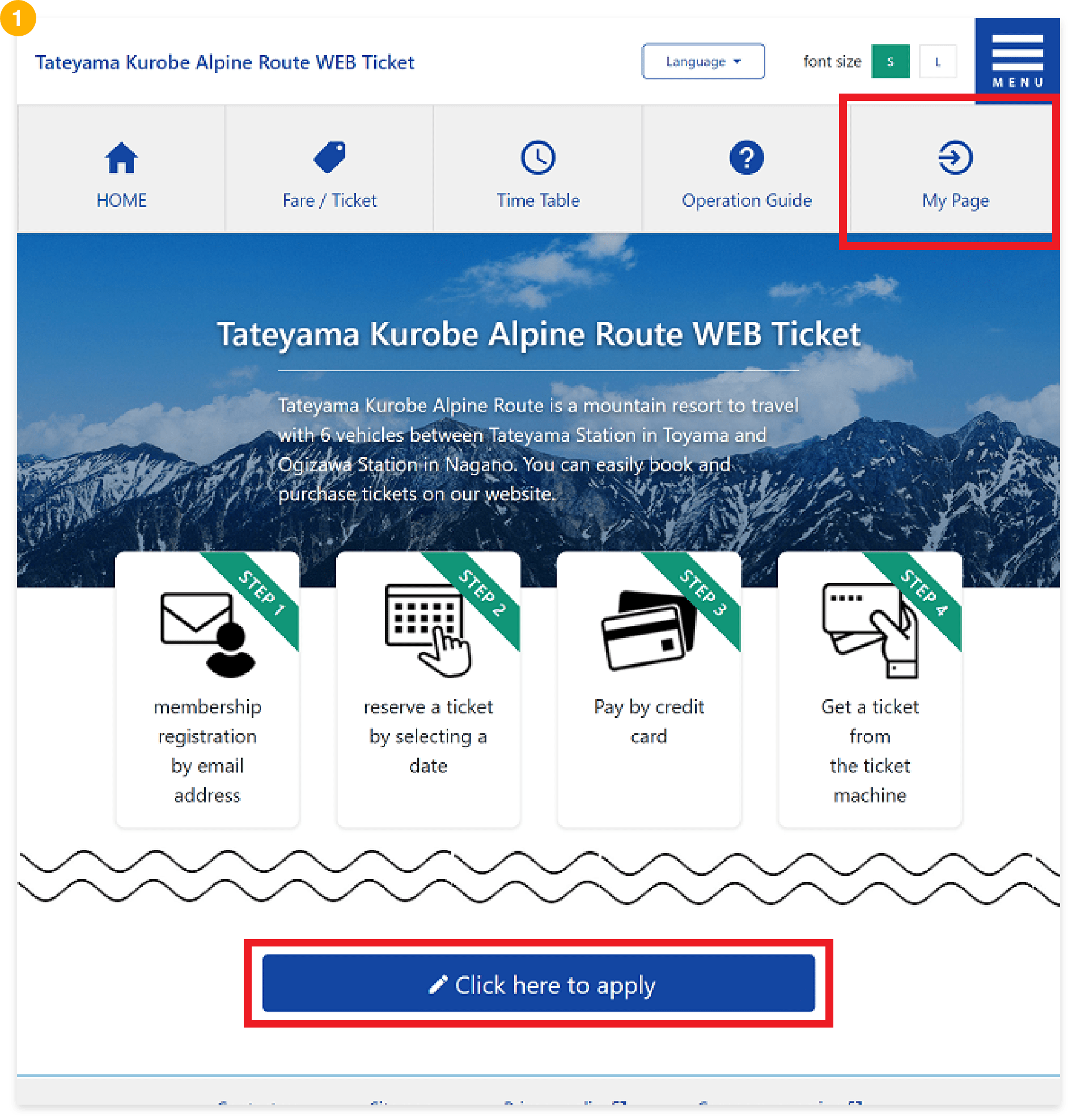
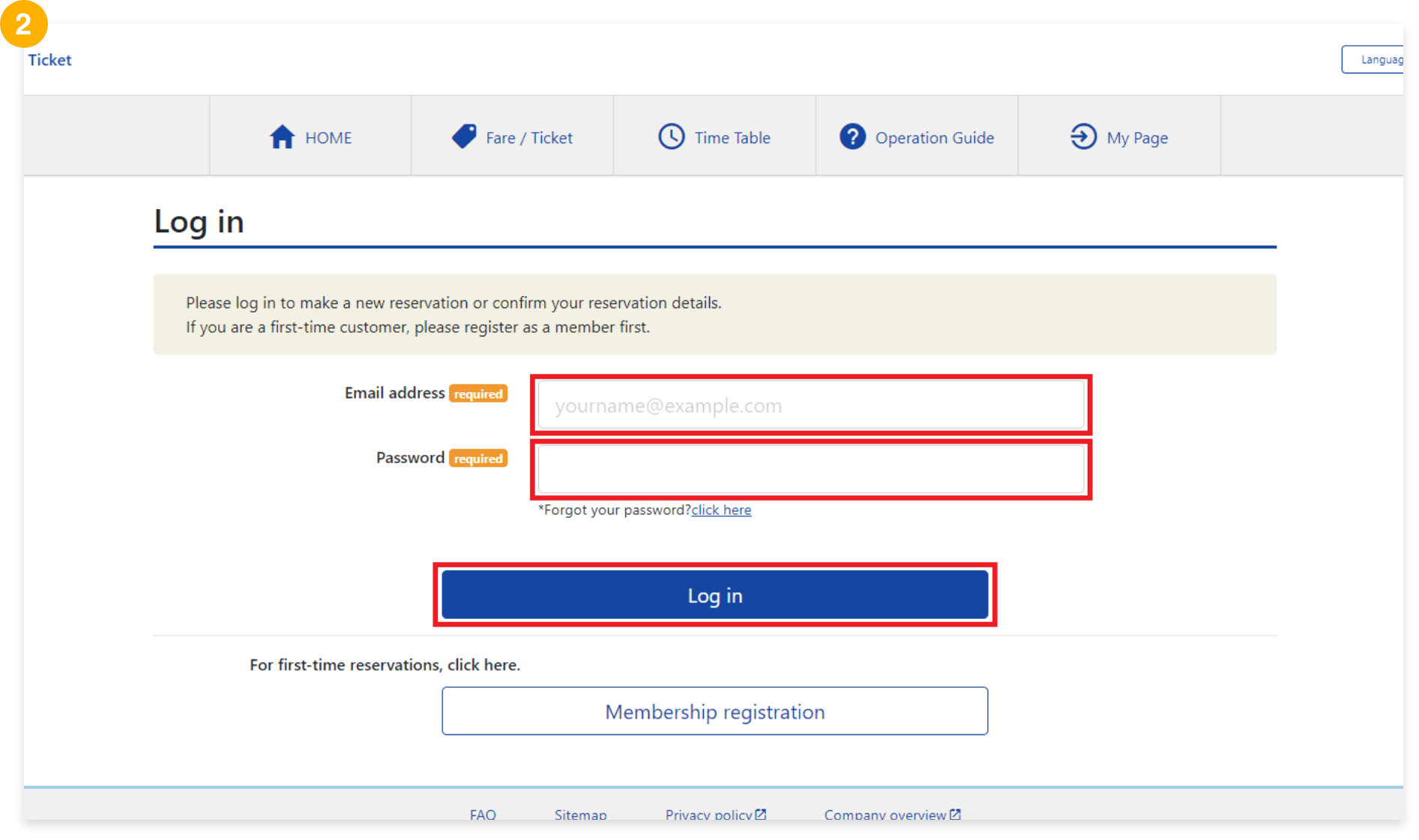
STEP2:Make a reservation
2.Make a reservation
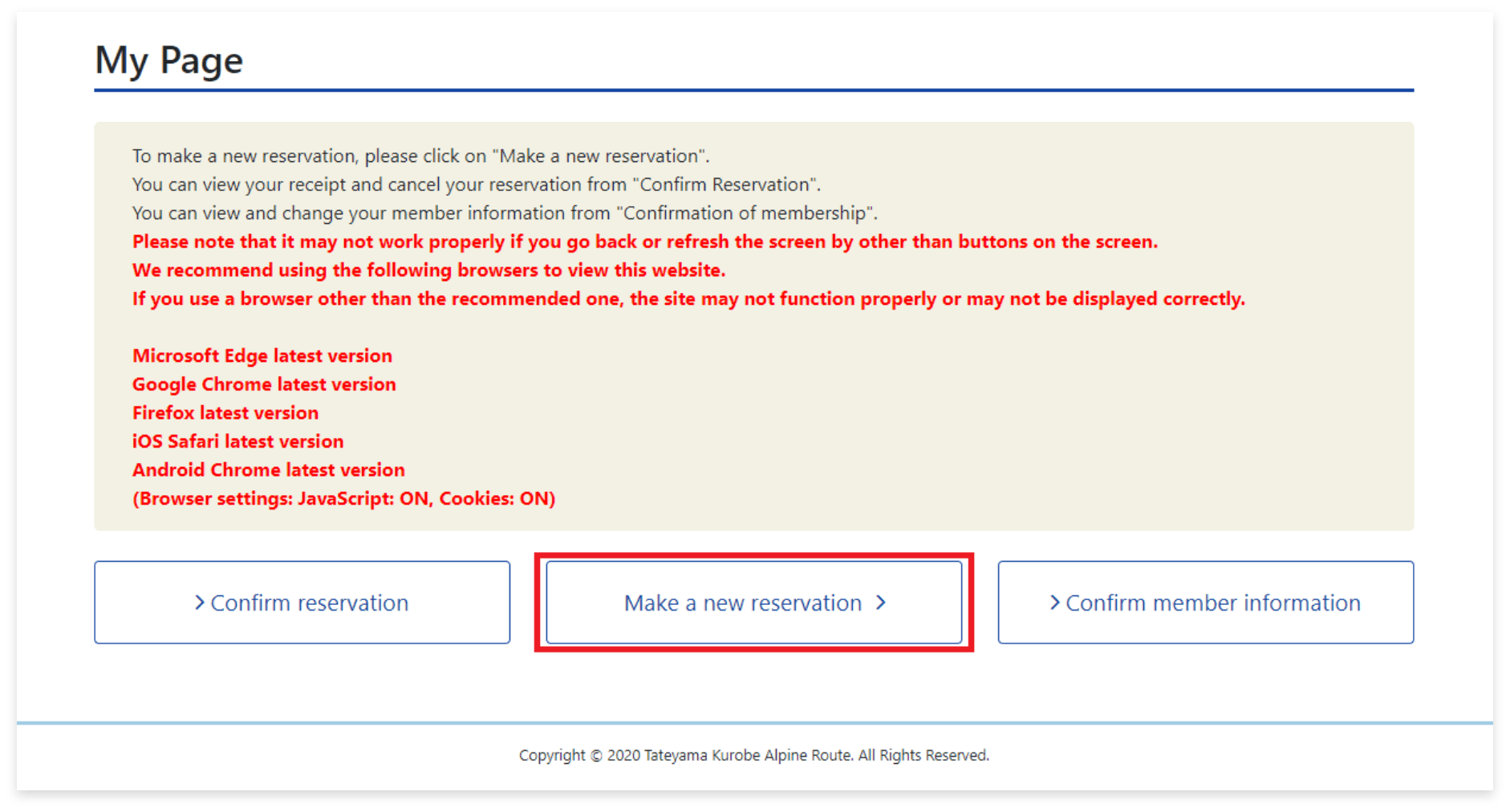
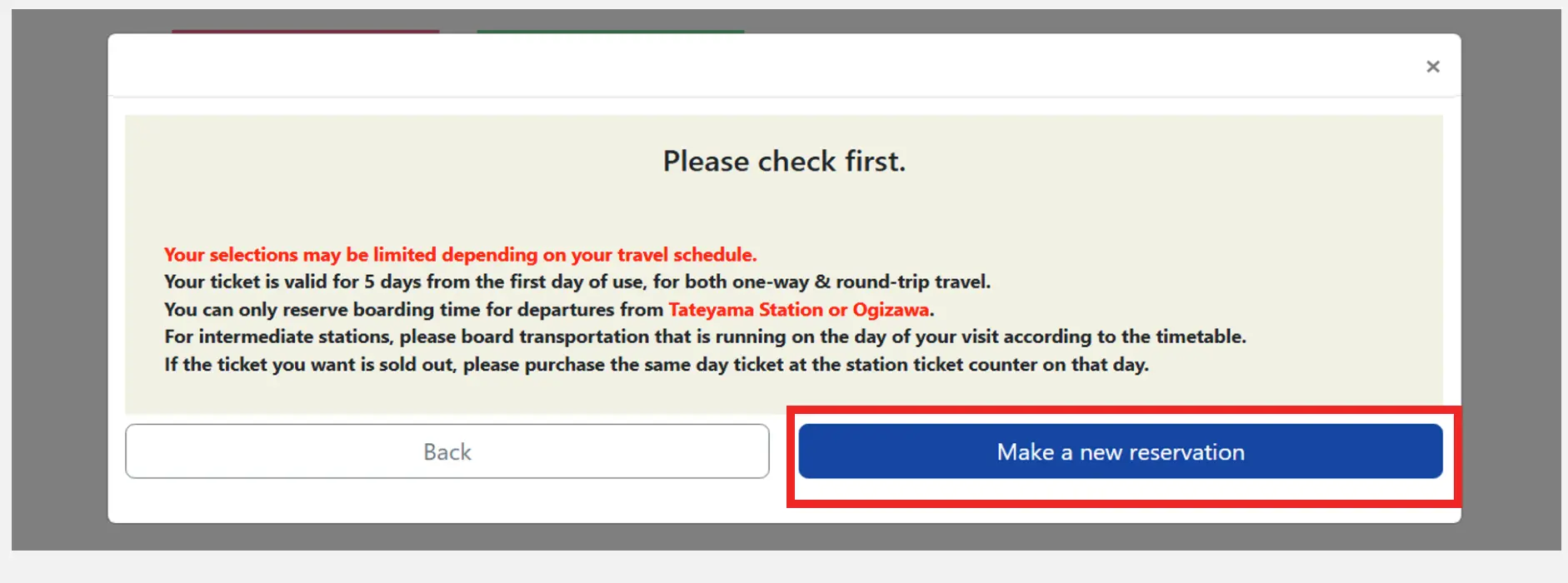
STEP2:Make a reservation
3.Enter reservation details
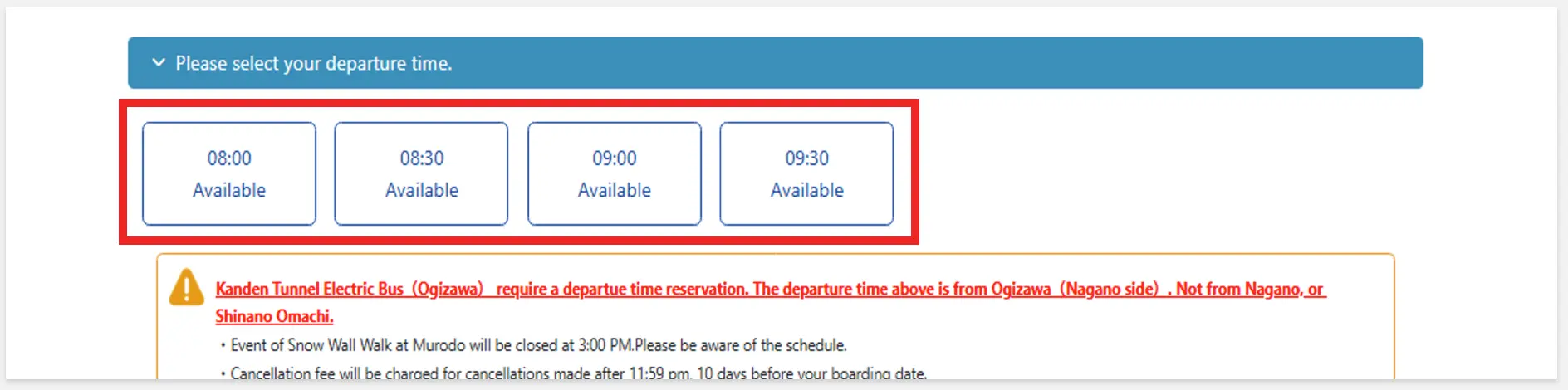
Depending on your travel schedule, it may not be possible to select your desired "Departure Station", "Arrival Station", "Itinerary", "Web Ticket Product", or "Departure Time".
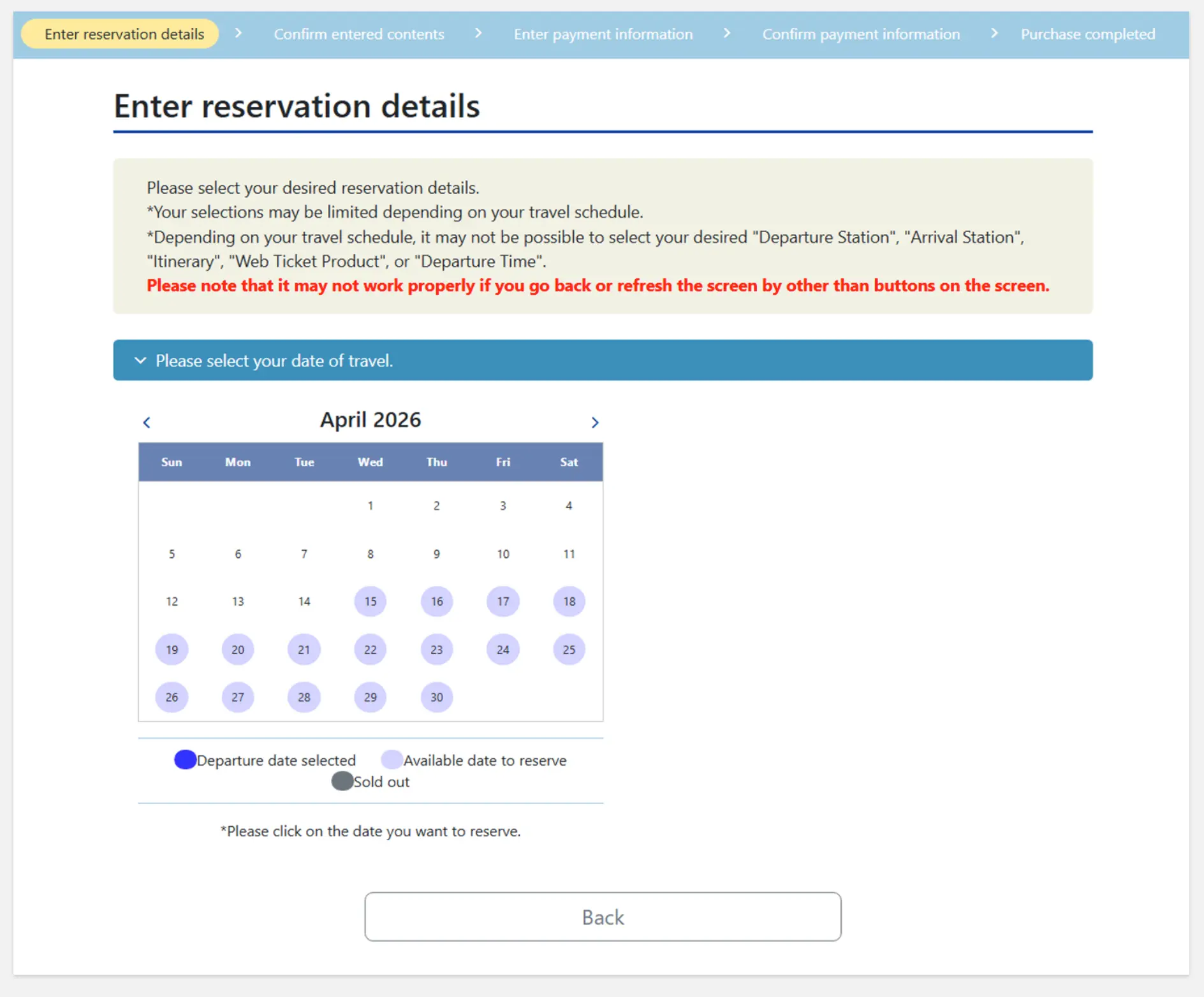
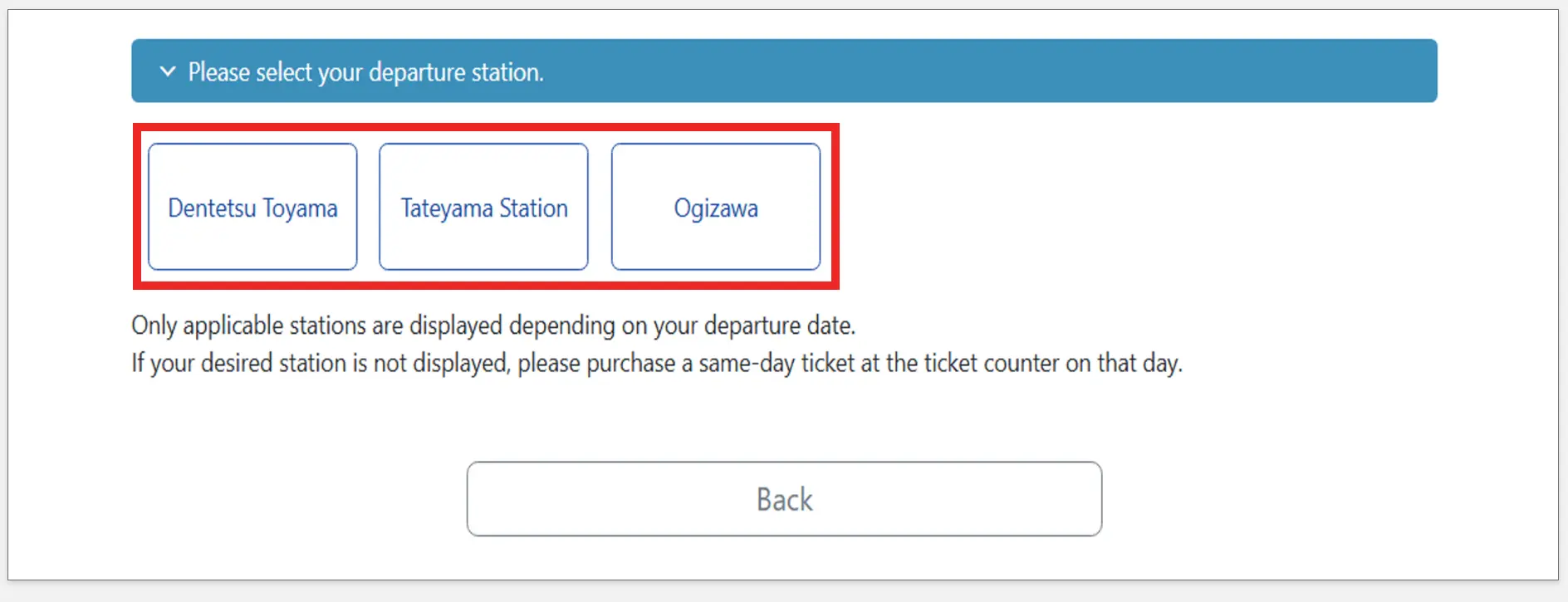
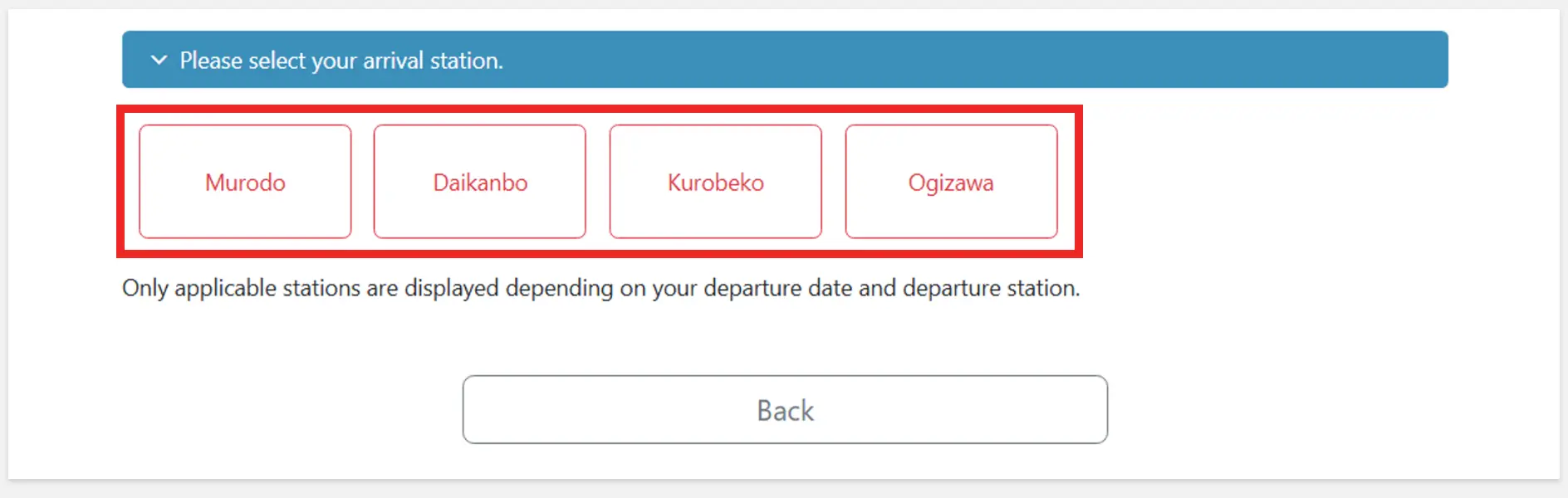
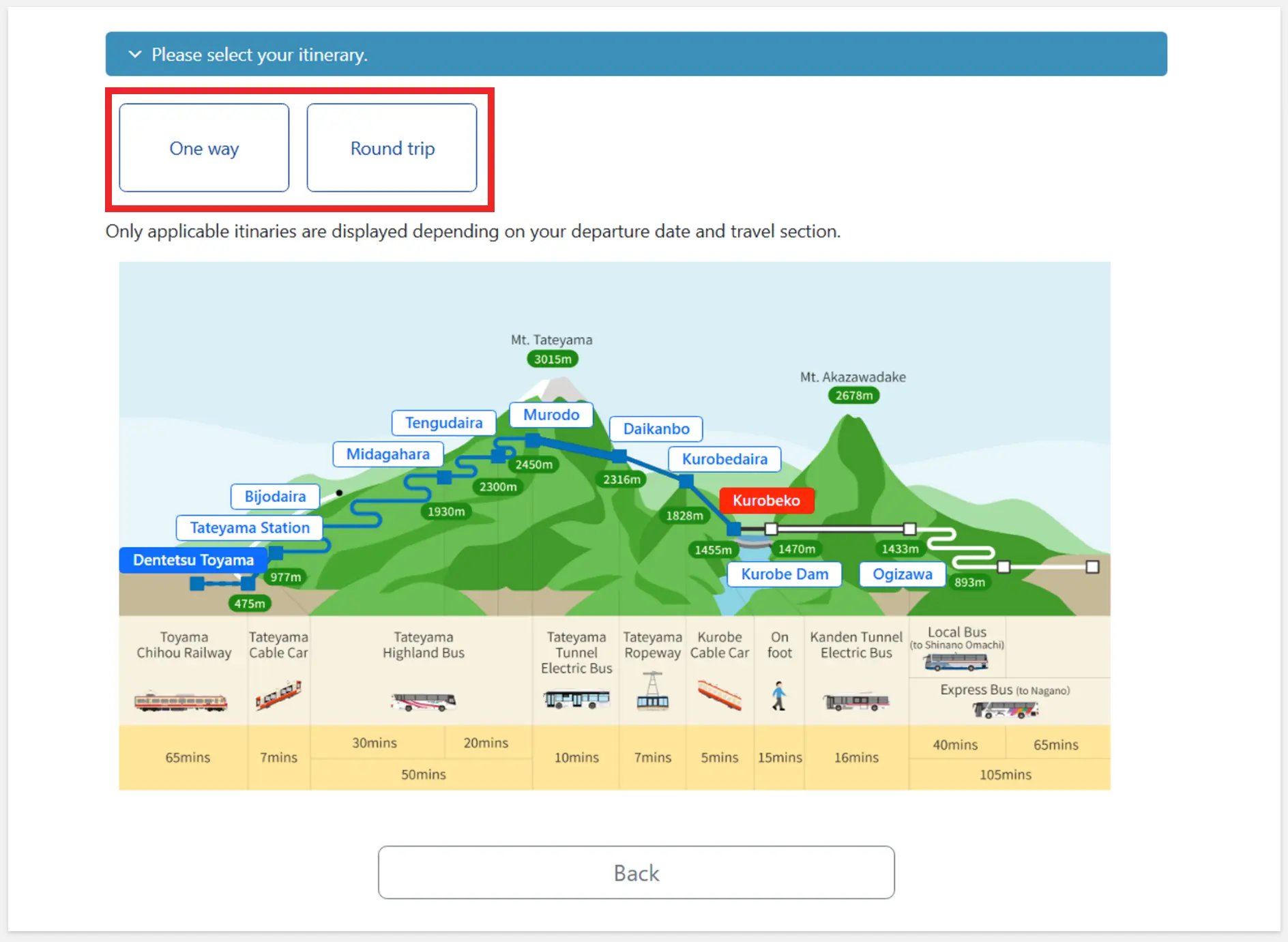
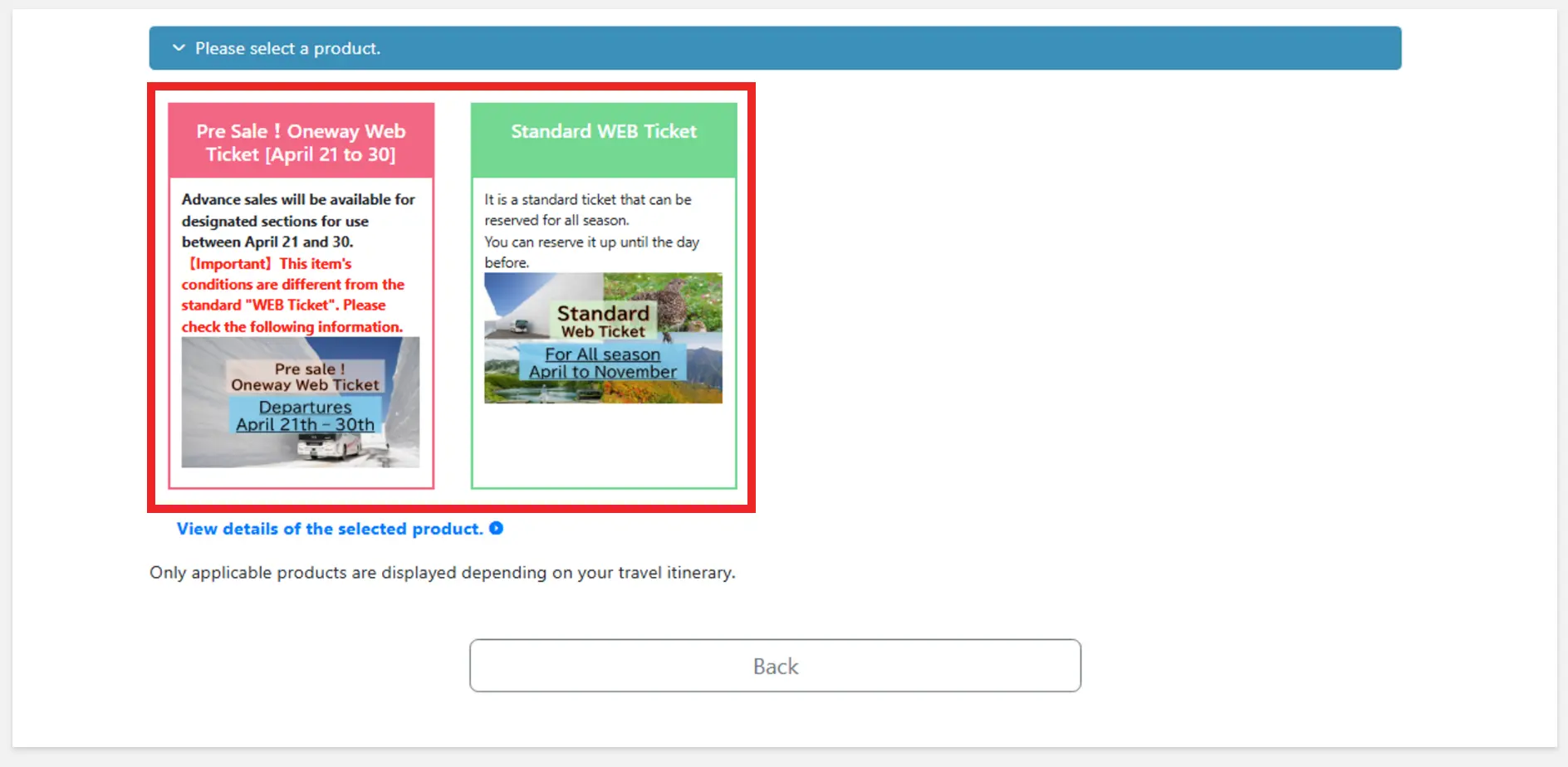
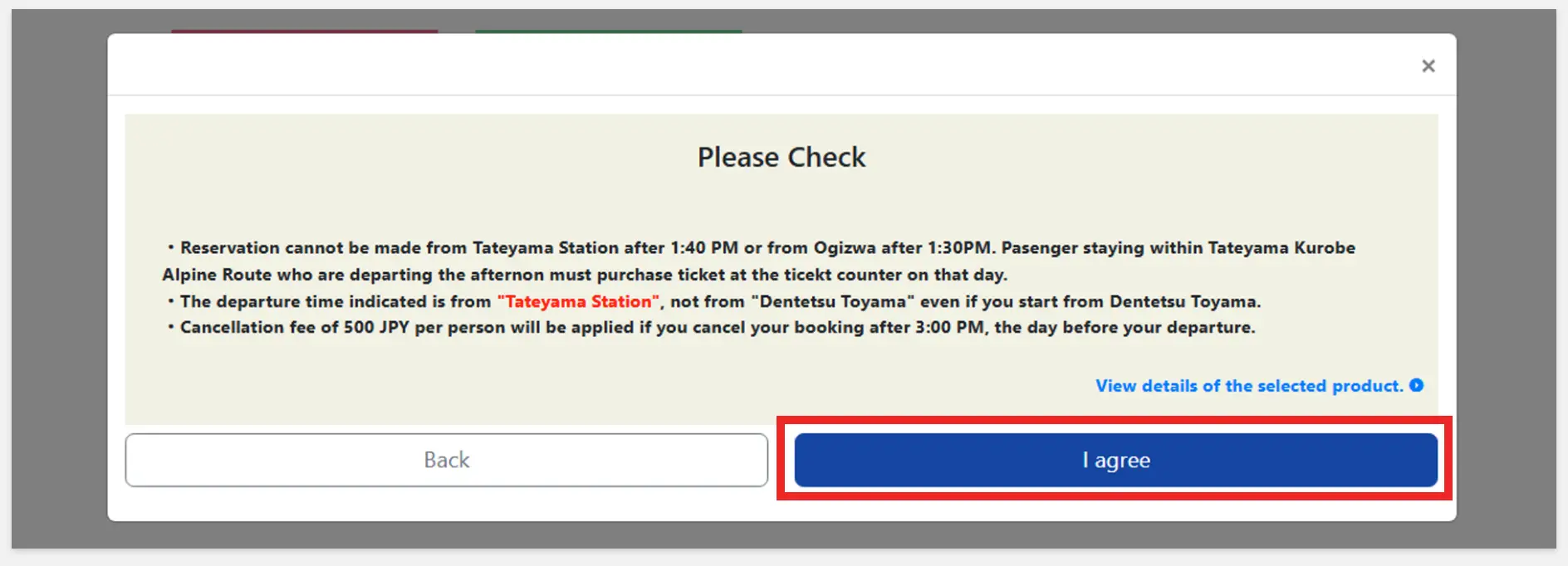
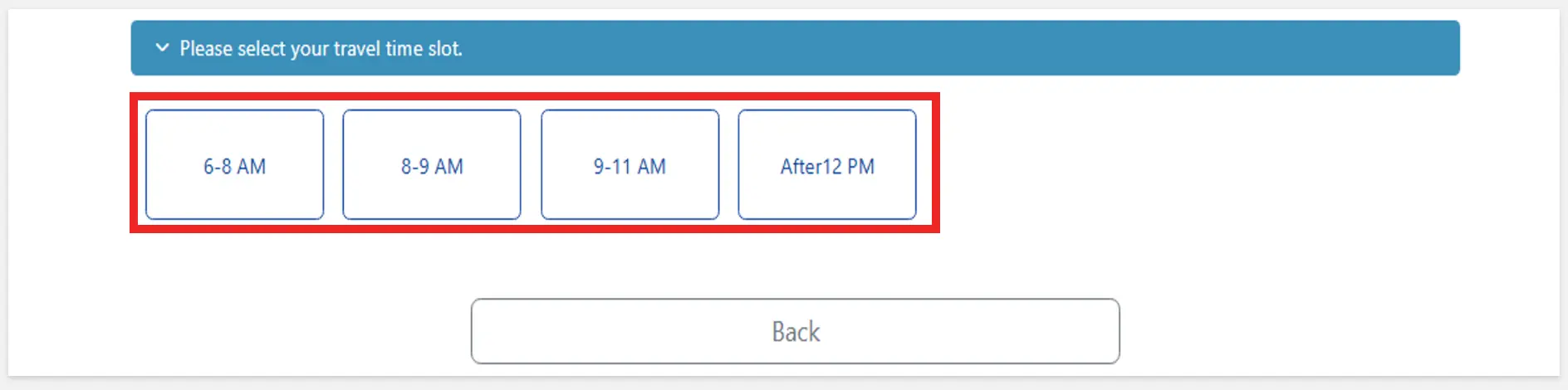
You can only reserve boarding time for departures from Tateyama Station or Ogizawa.
STEP2:Make a reservation
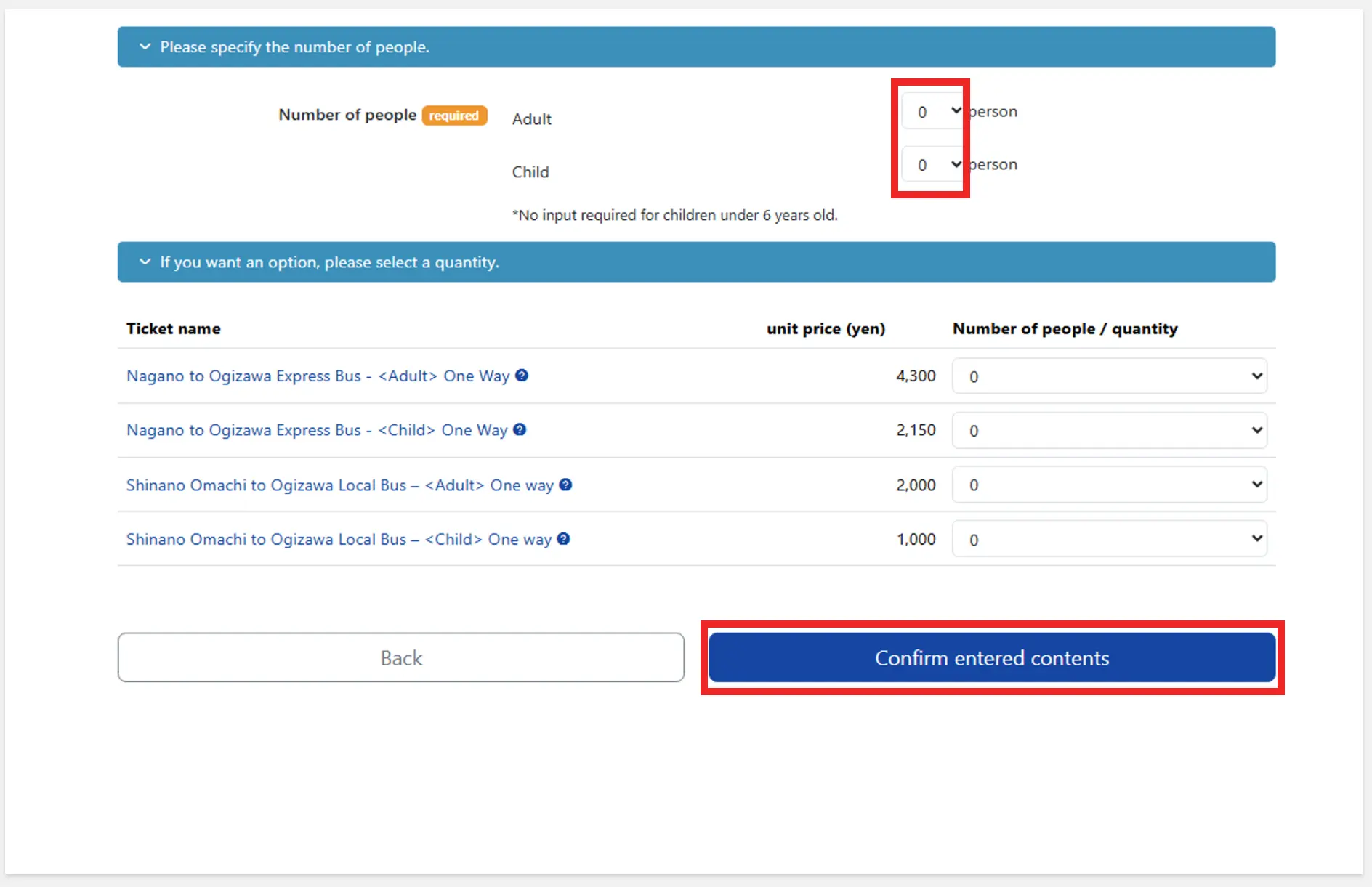
4.Confirm entered contents
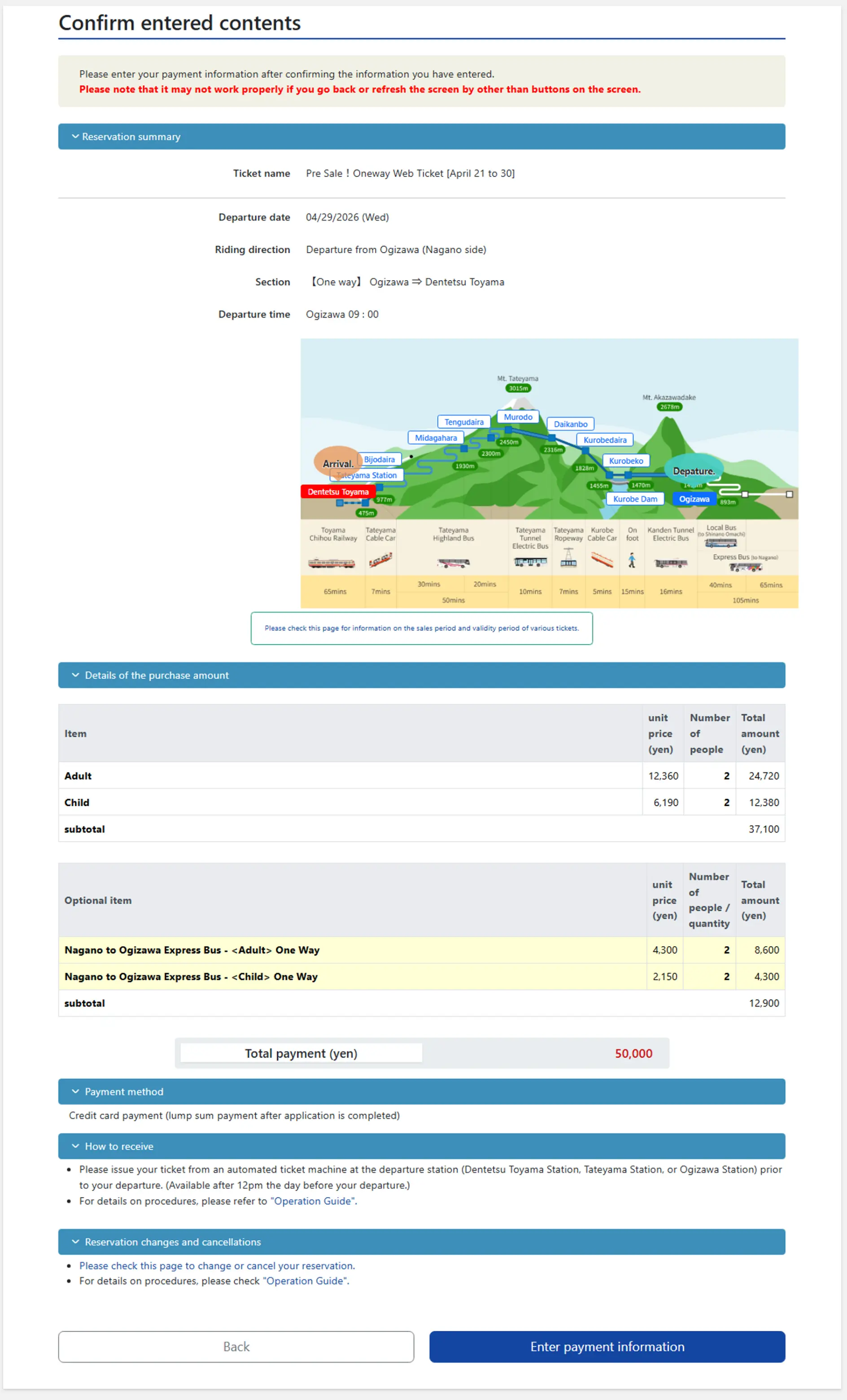
STEP2:Make a reservation
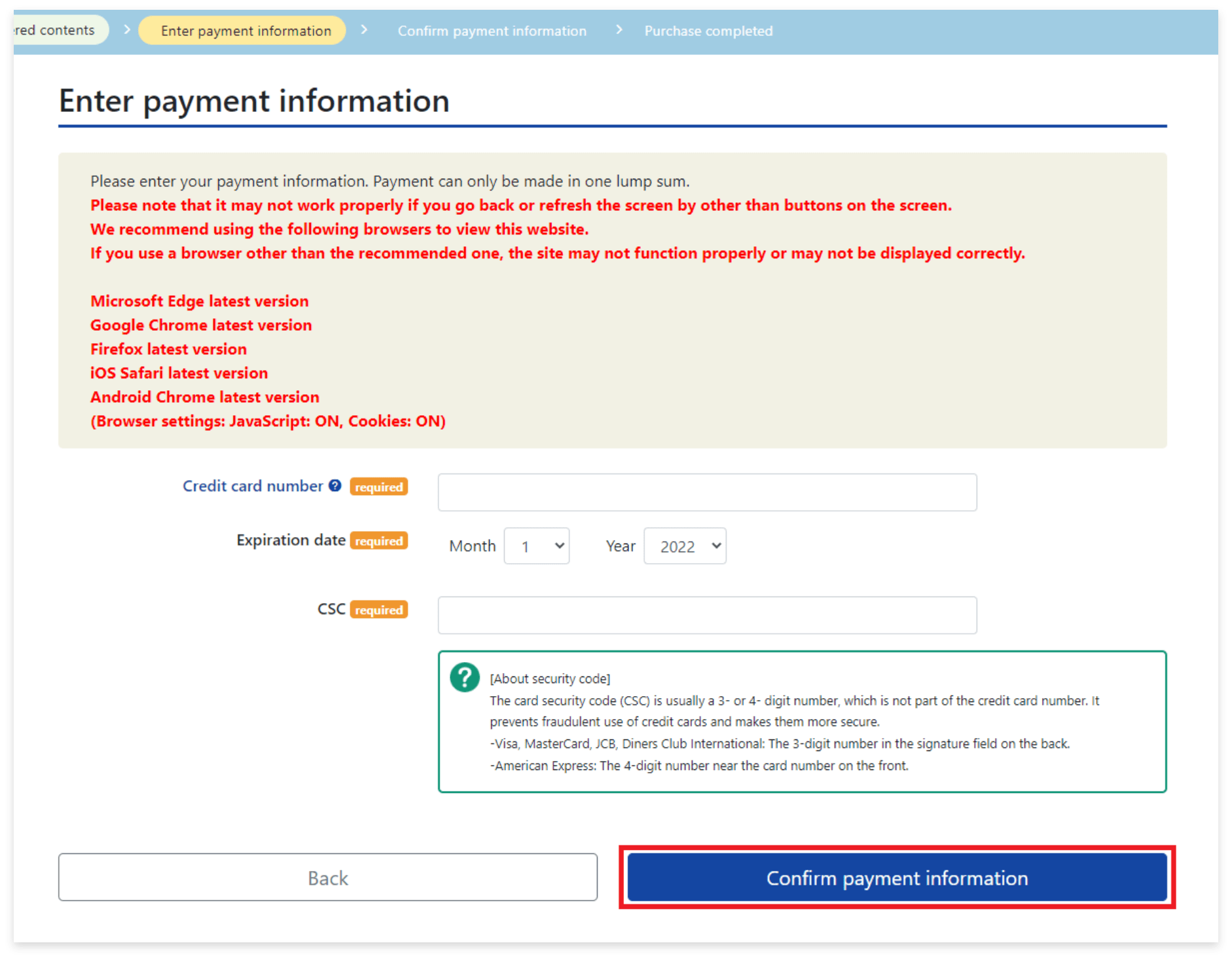
5.Enter payment information
Click on "Confirm payment information".
STEP2:Make a reservation
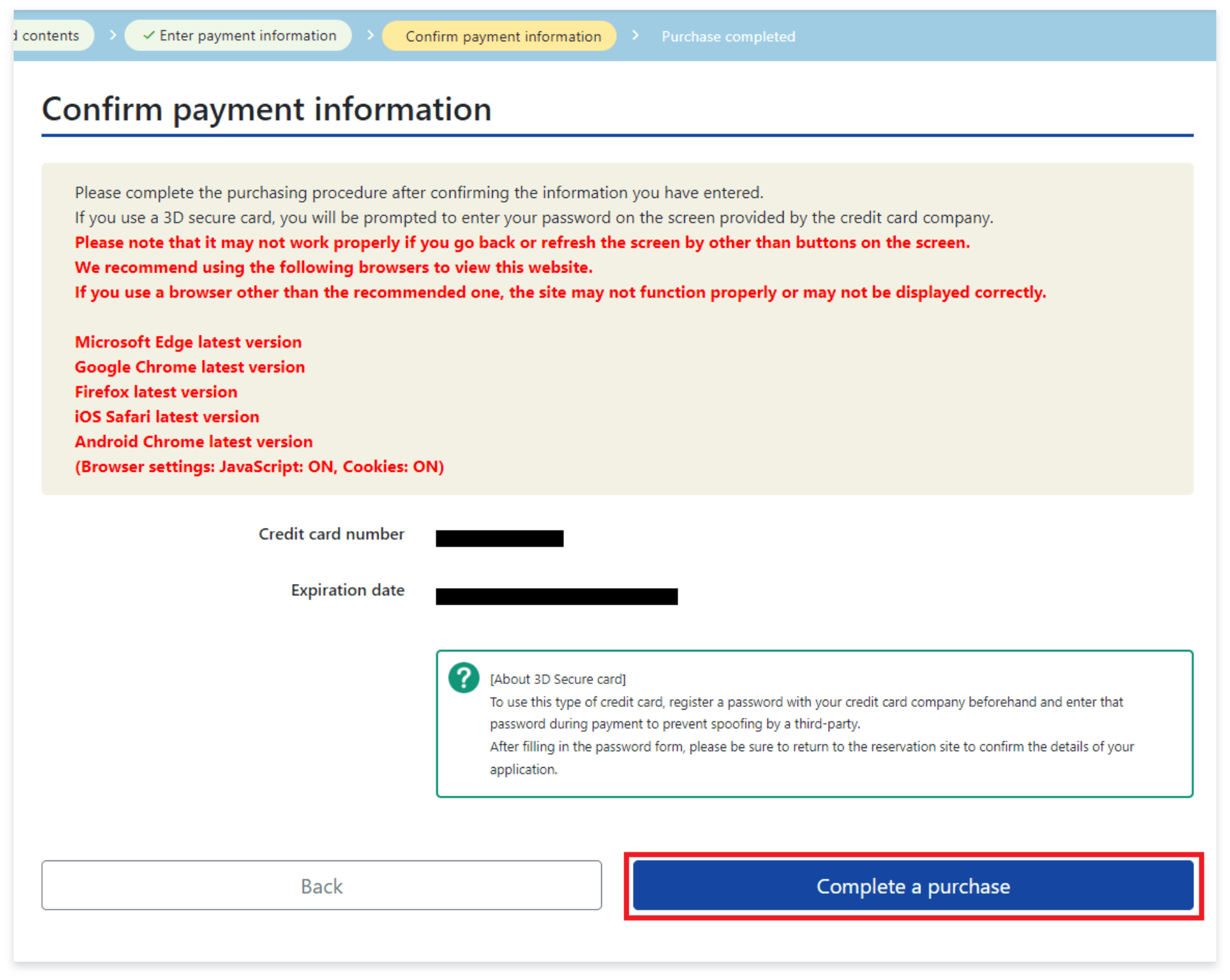
6.Confirm payment information
Depending on the credit card, you will be redirected to the card company's own identity verification screen.
Please inquire with your credit card company regarding identity authentication.
STEP2:Make a reservation
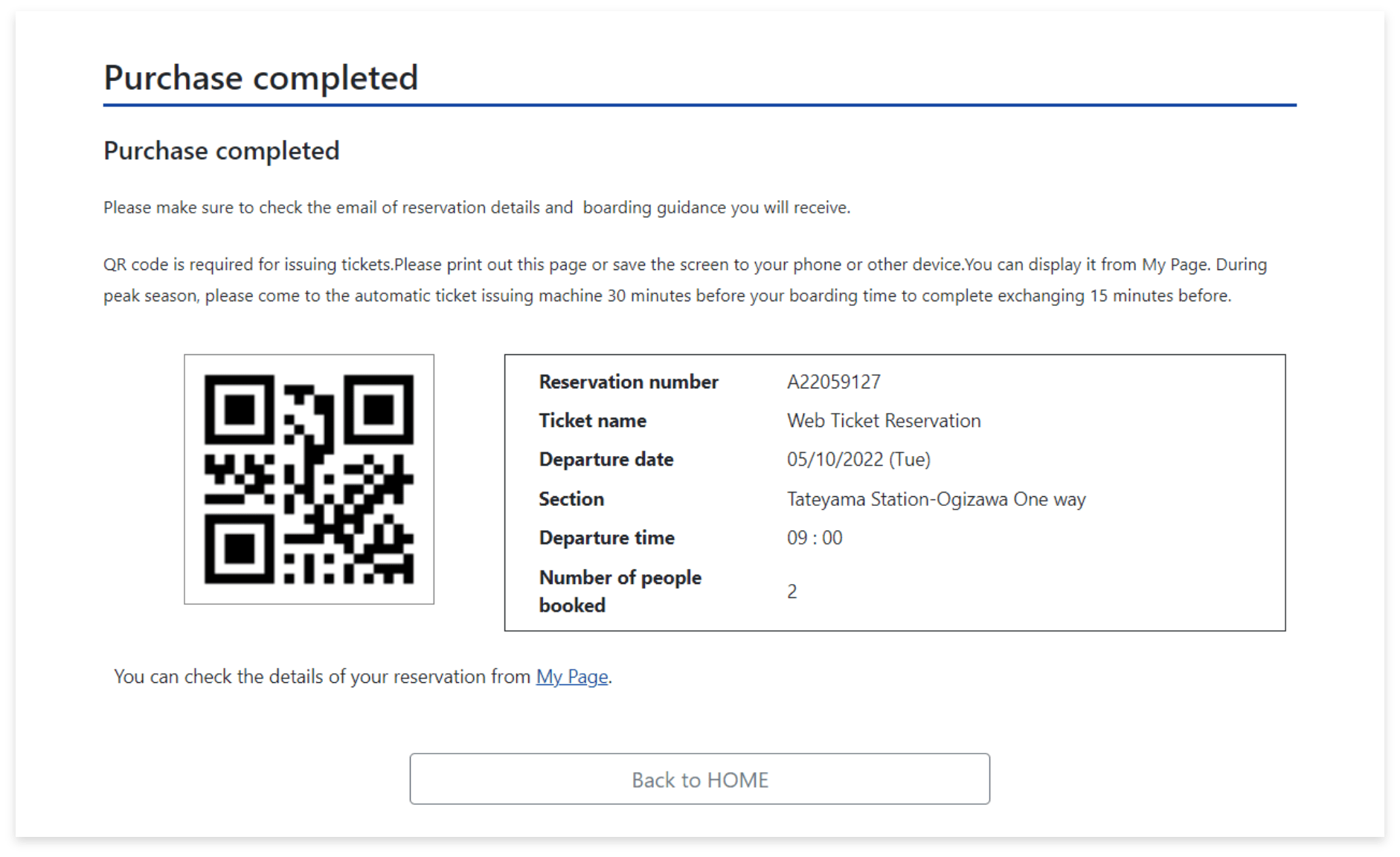
7.Purchase completed
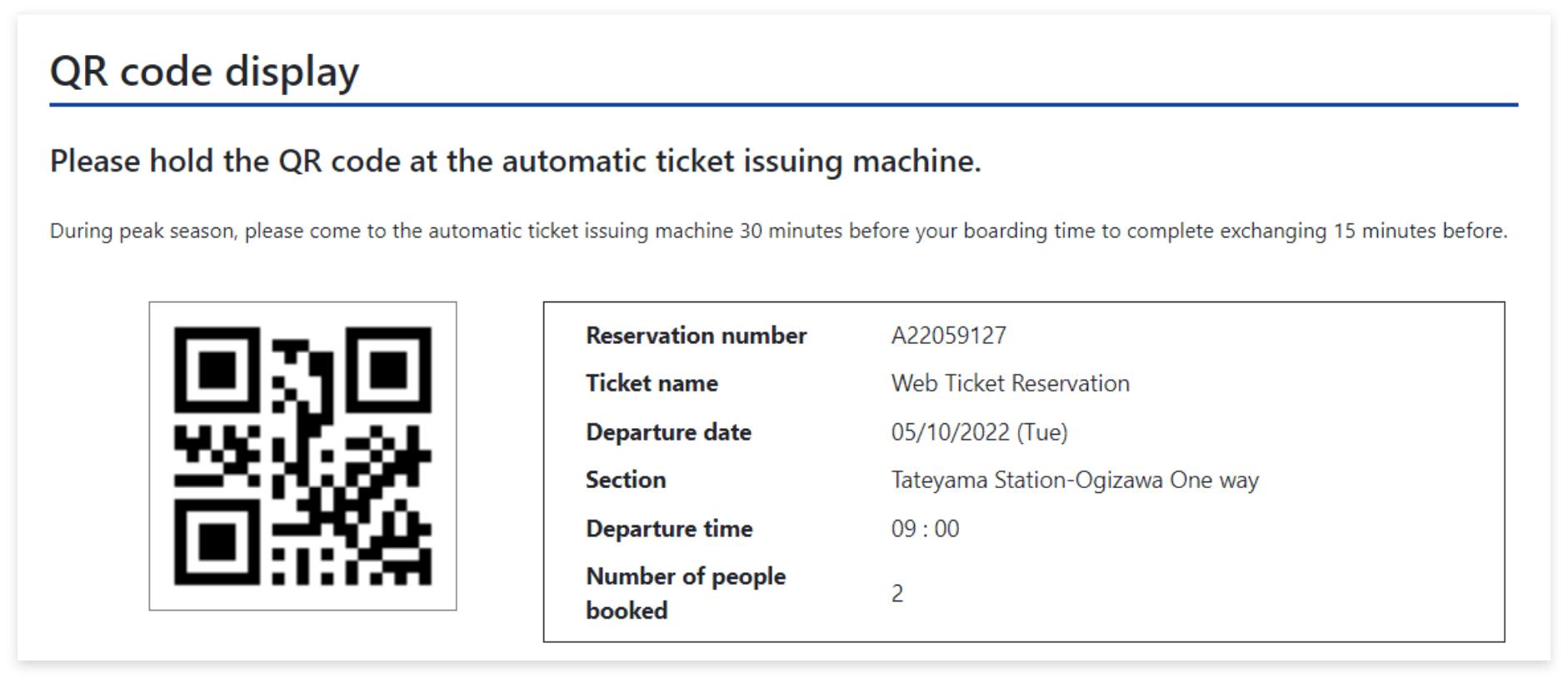
QR code is required for receiving tickets.
You can print out this page or display it from "My Page".
buy WEB Ticket HERE
STEP2:Make a reservation
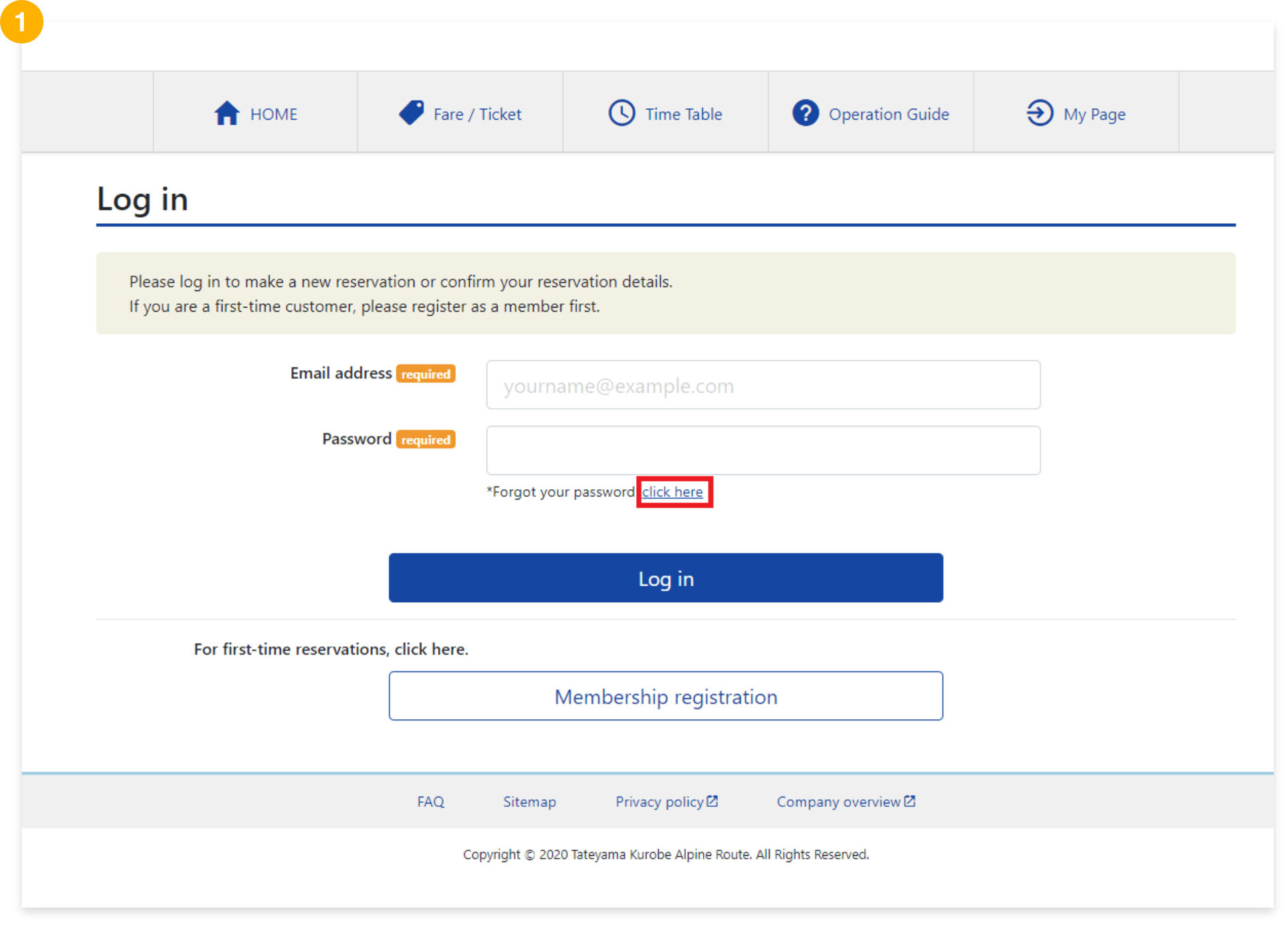
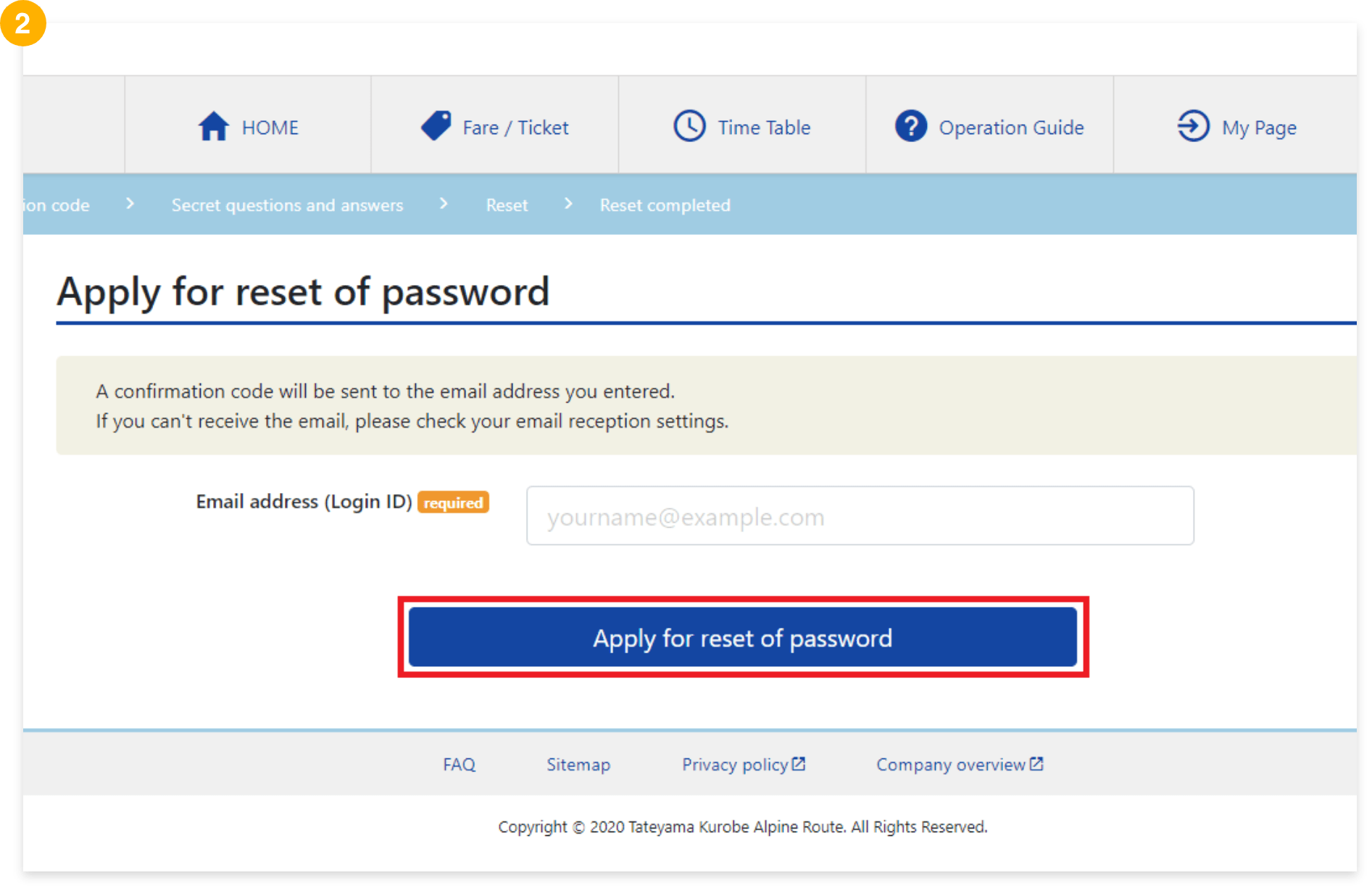
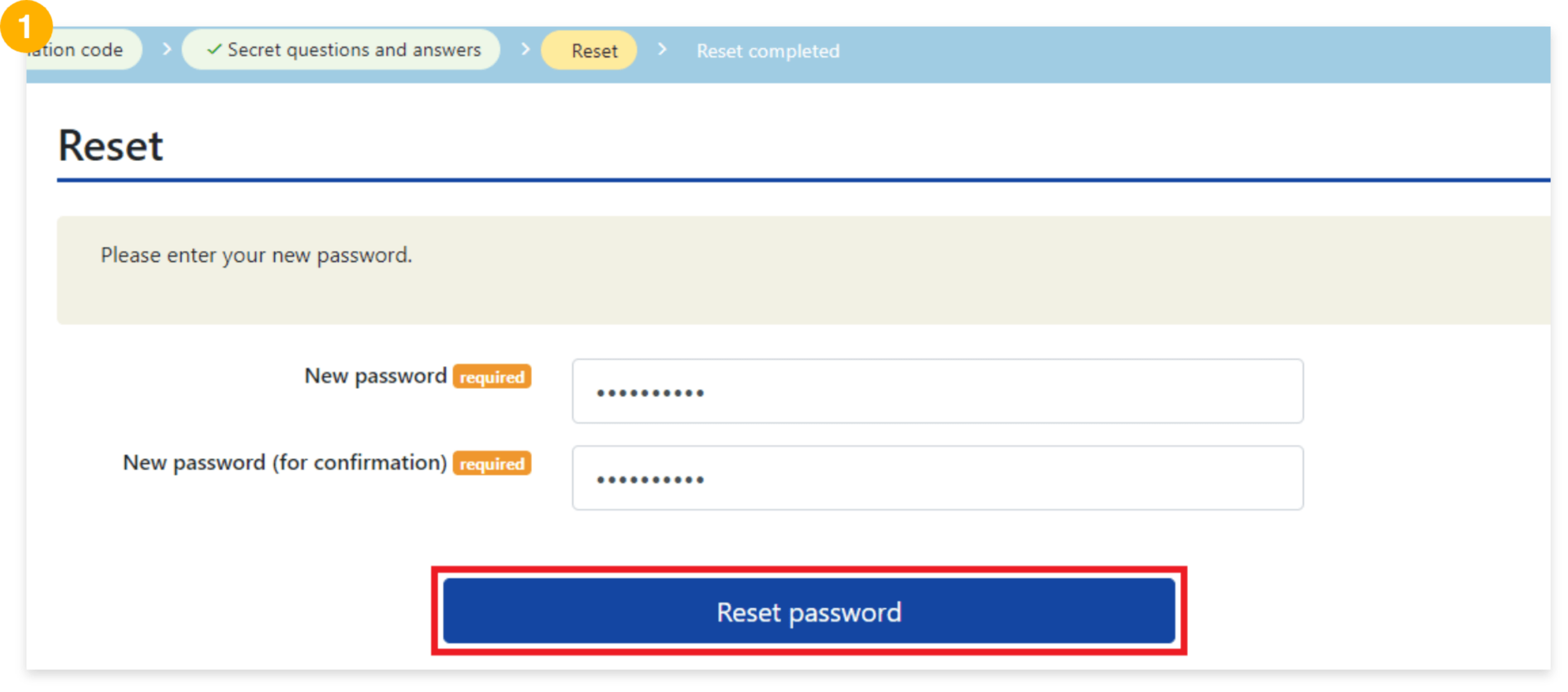
When you forgot your password
If you forgot it, please click here to contact us.
STEP3:Receive tickets
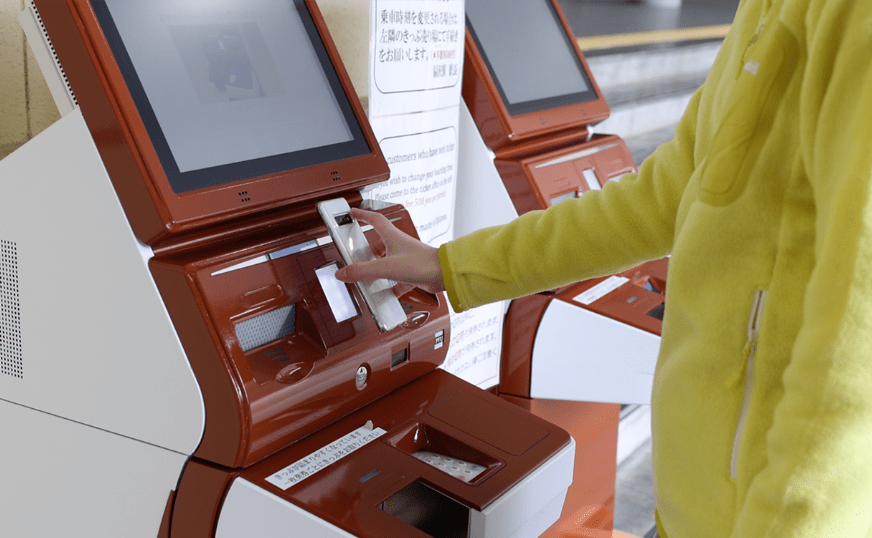
Please receive tickets from a ticket machines at Ogizawa Station, Tateyama Station or Dentetsu Toyama Station.
- During peak season, please come to the station about 30 minutes before your boarding time to complete exchanging 15 minutes before.
- You can pick tickets up from the ticket machine from 0:00 p.m. (noon) on the day before the day of use.
- Available time of the ticket machine at each station is different. Please have a check from here.
- You can not operate the system on the web after receiving your tickets.
A video explains how to receive and use the WEB Ticket at each departure station.
Nagano side

Toyama side
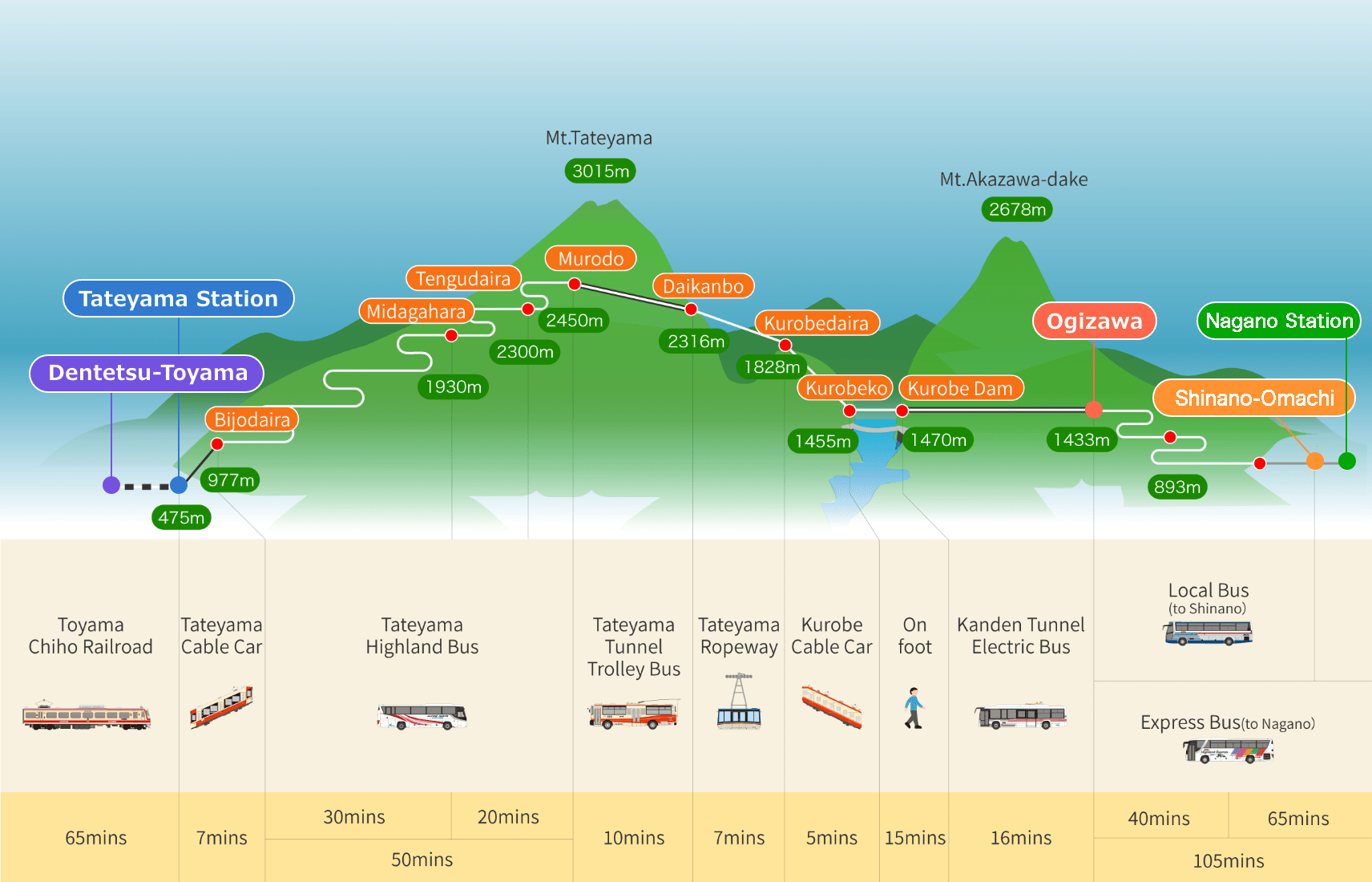
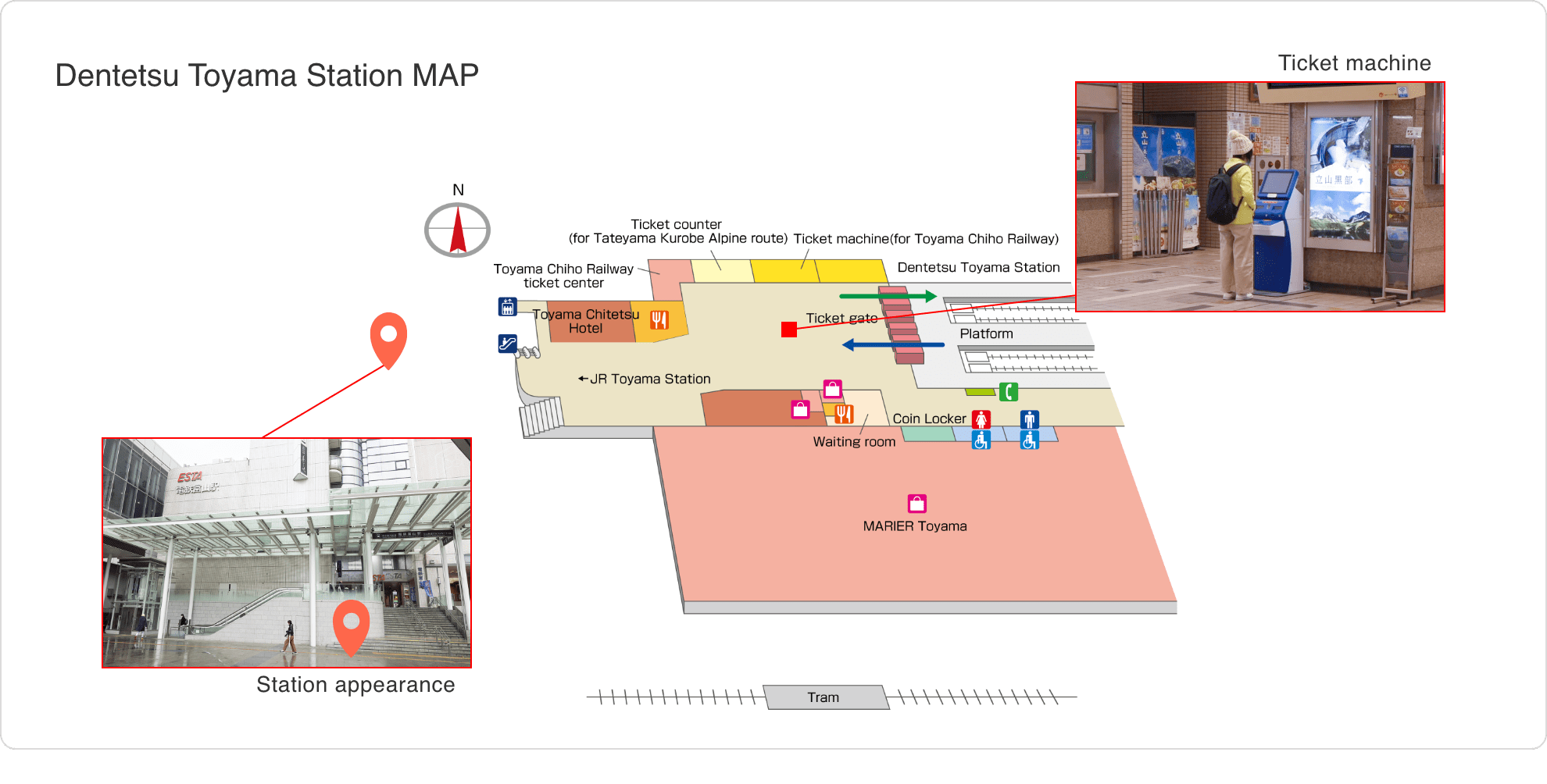
Location of the ticket machine
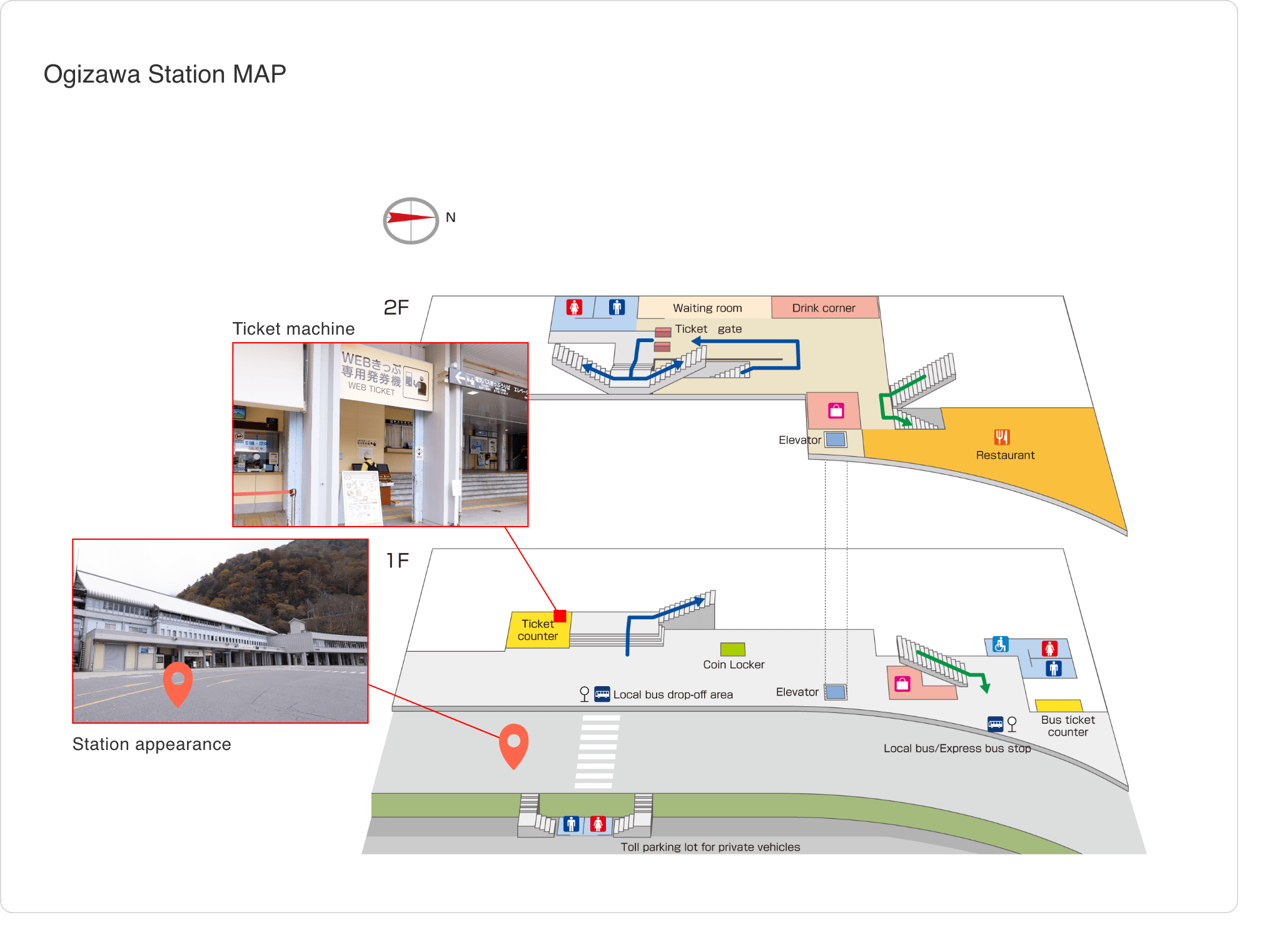
from Nagano side
Ogizawa Station
There are ticket machines next to the ticket counter.
<Ticket machine Available time>
Ogizawa Station: From 50 minutes before the first departure to 2:30 p.m. (Available at the ticket counter from 2:30 p.m. to 5:00 p.m.)
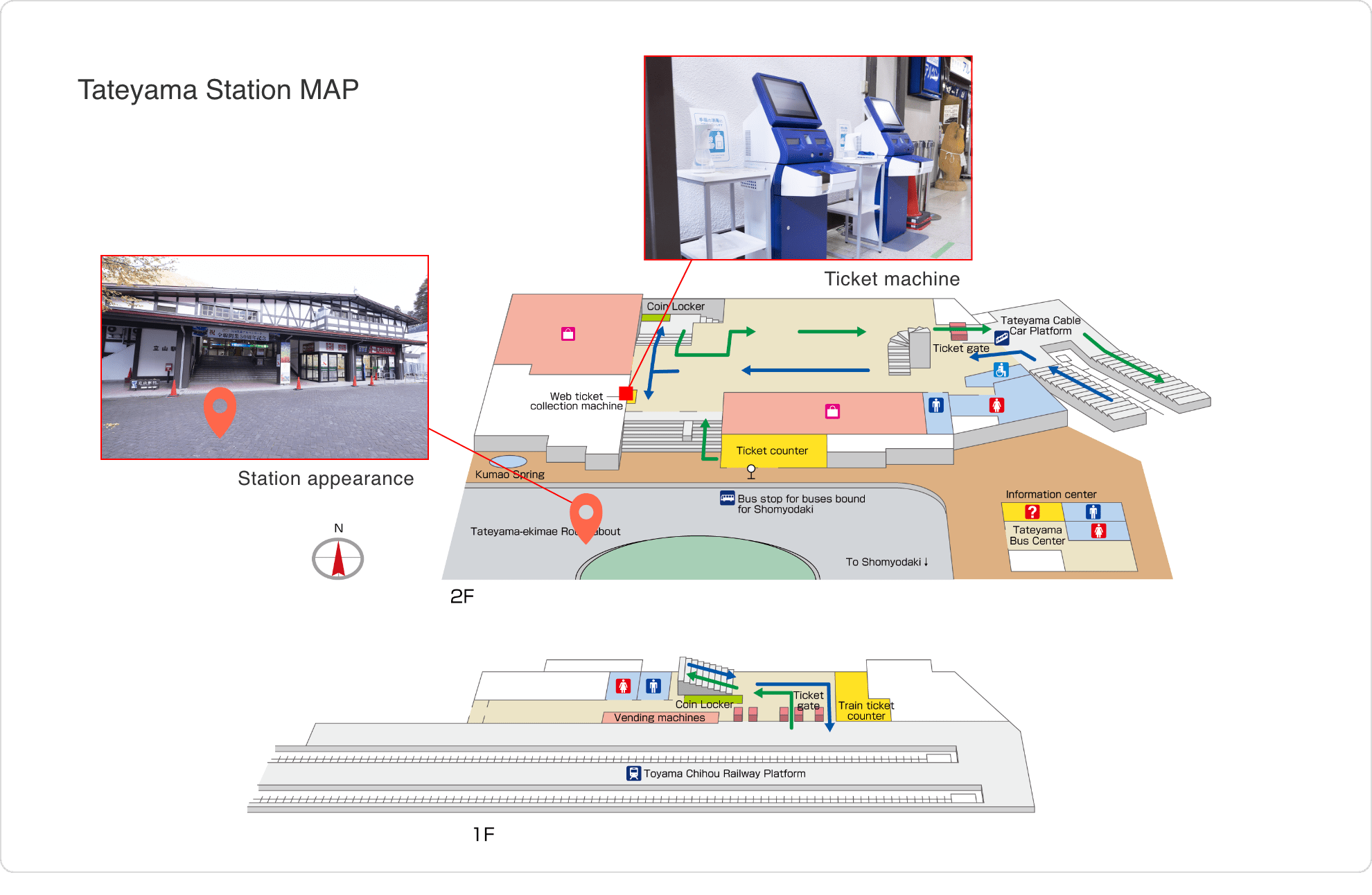
From Toyama side
Tateyama Station
There are ticket machines at top of the stairs.
<Ticket machine Available time>
Tateyama Station:From 60 minutes before the first departure to 5:00 p.m.
Dentetsu Toyama Station
There is the ticket machine in the station.
<Ticket machine Available time>
Dentetsu Toyama Station:From 5:00 a.m. to 11:00 p.m.
How to issue tickets
STEP3:Receive tickets
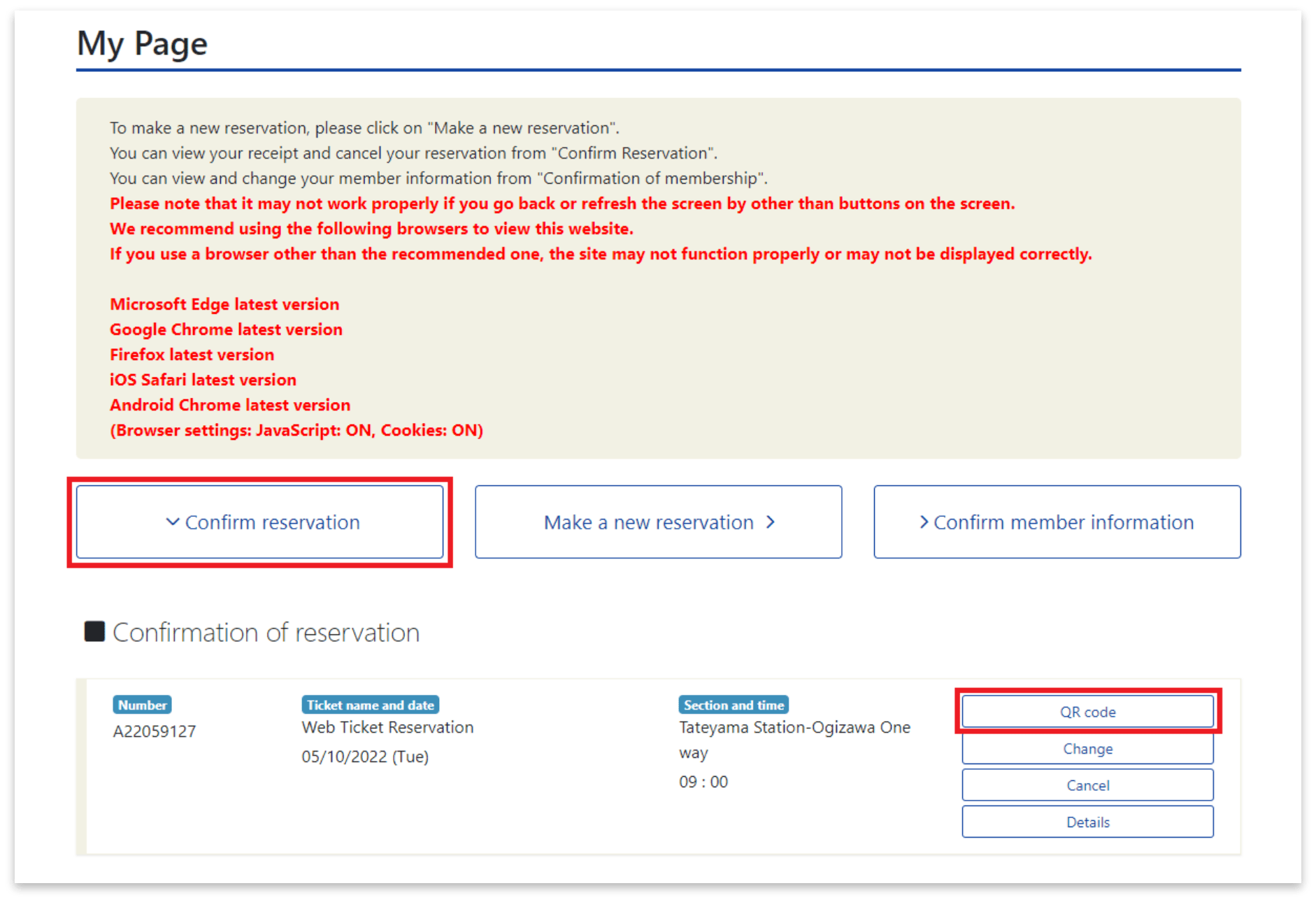
Before receiving tickets
Log in to My Page, and click on "Confirm reservation".
QR code will be appeared by clicking "QR code".
STEP3:Receive tickets
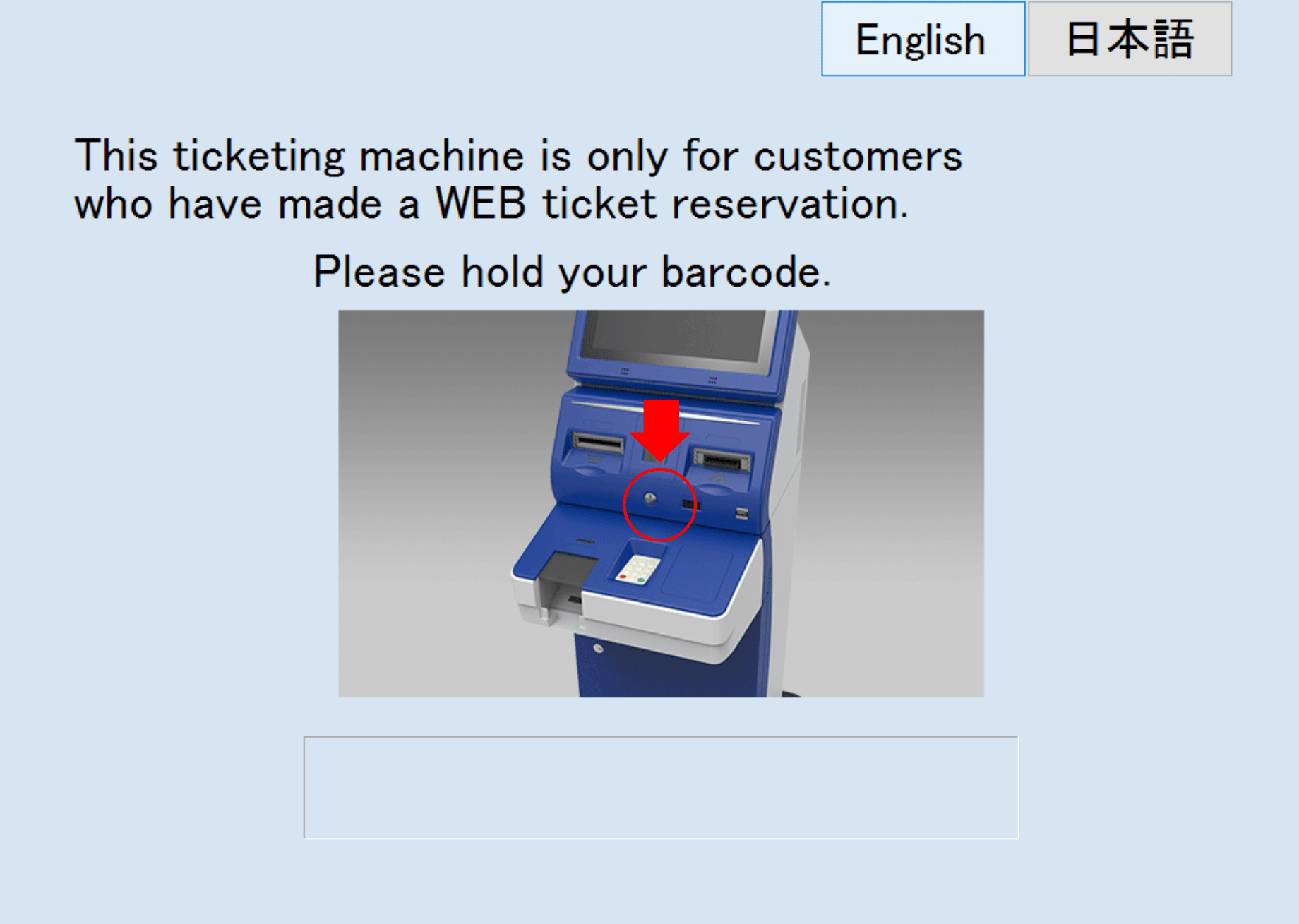
1.Read a QR code
QR code printed on paper can also be read.
STEP3:Receive tickets
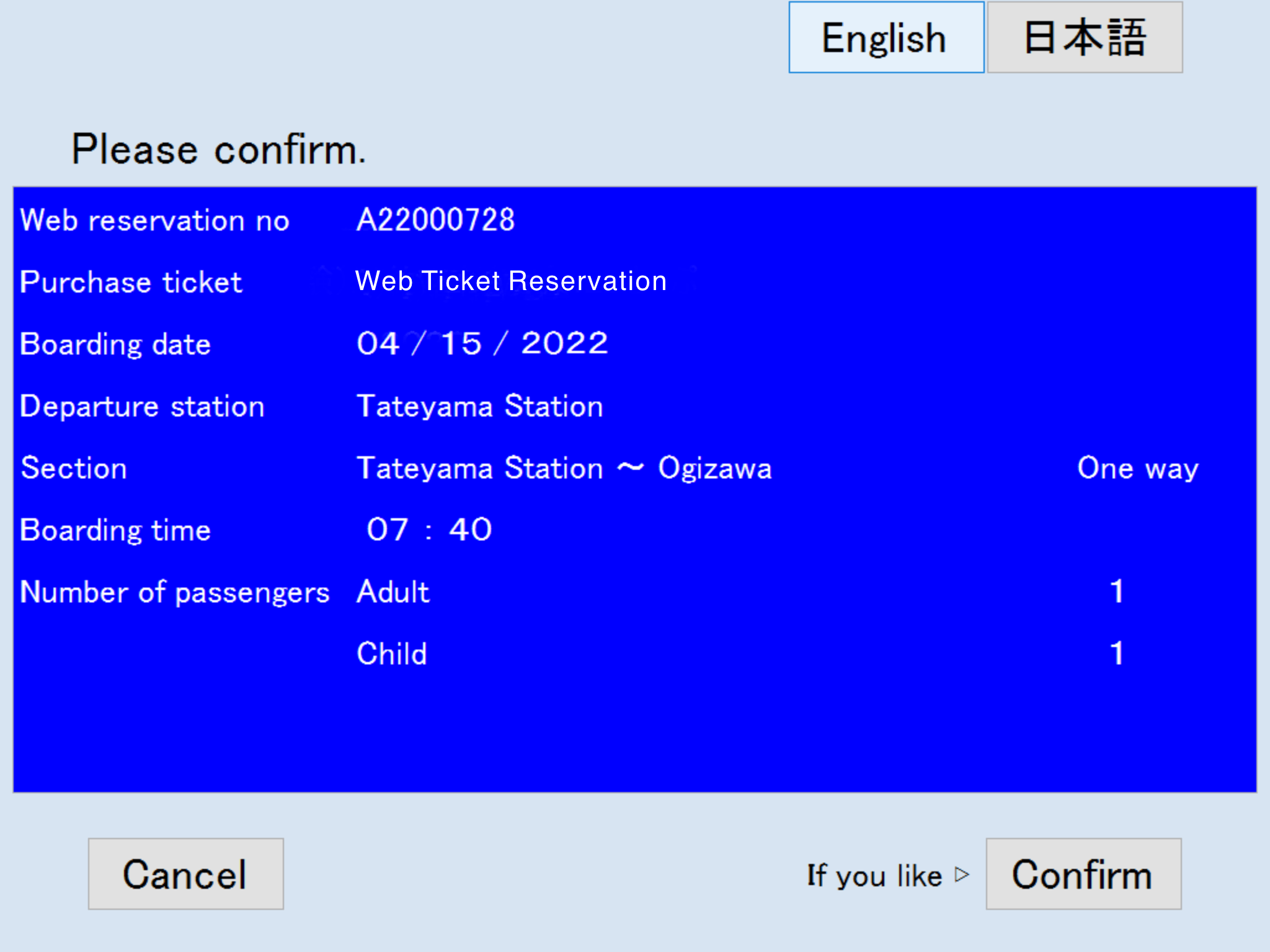
2.Confirm reservation details
STEP3:Receive tickets
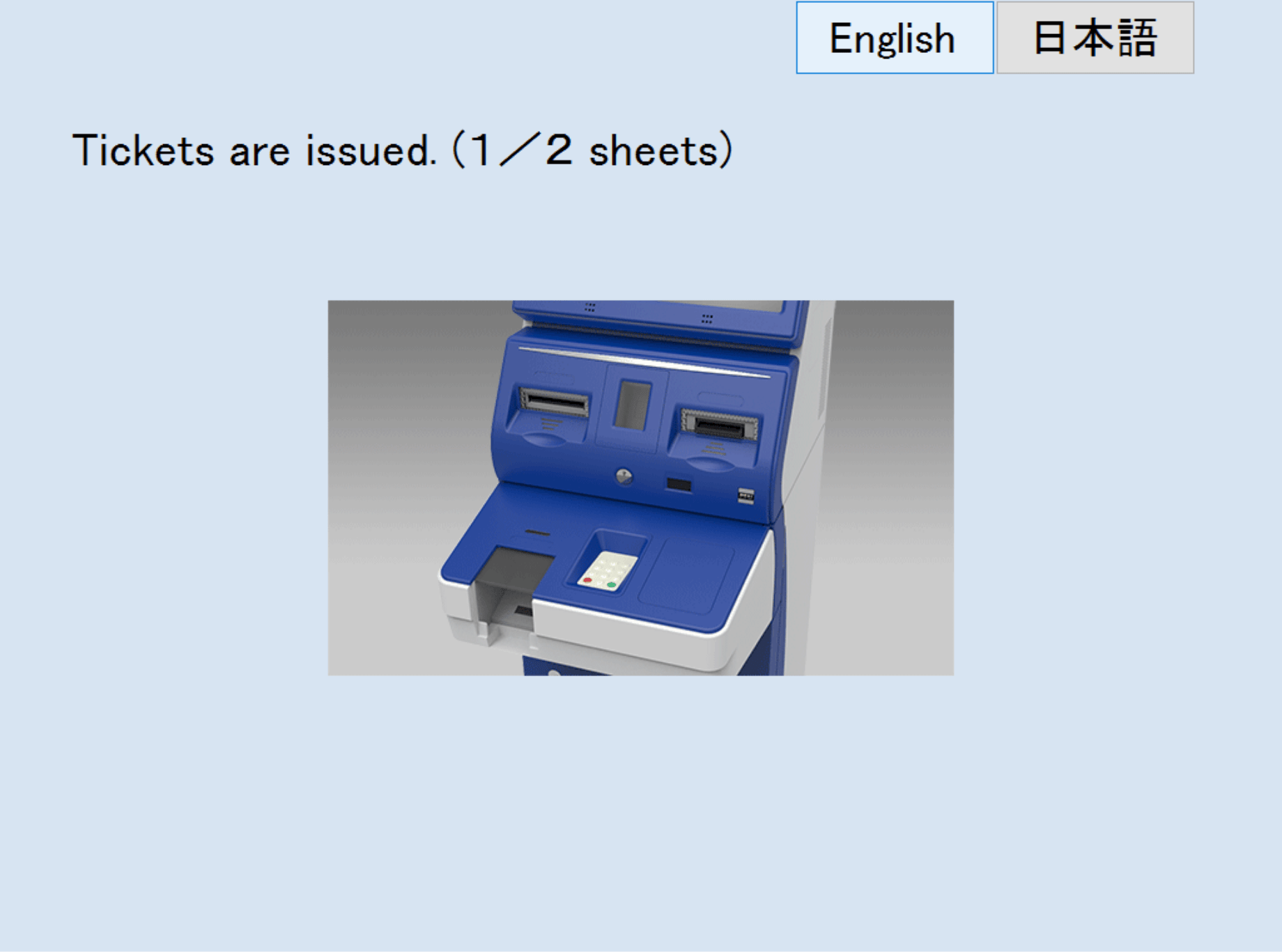
3.Receive tickets
- One ticket will be issued per person.
- Tickets are valid for five days for both one-way and round-trip travel from the date of reservation.
buy WEB Ticket HERE
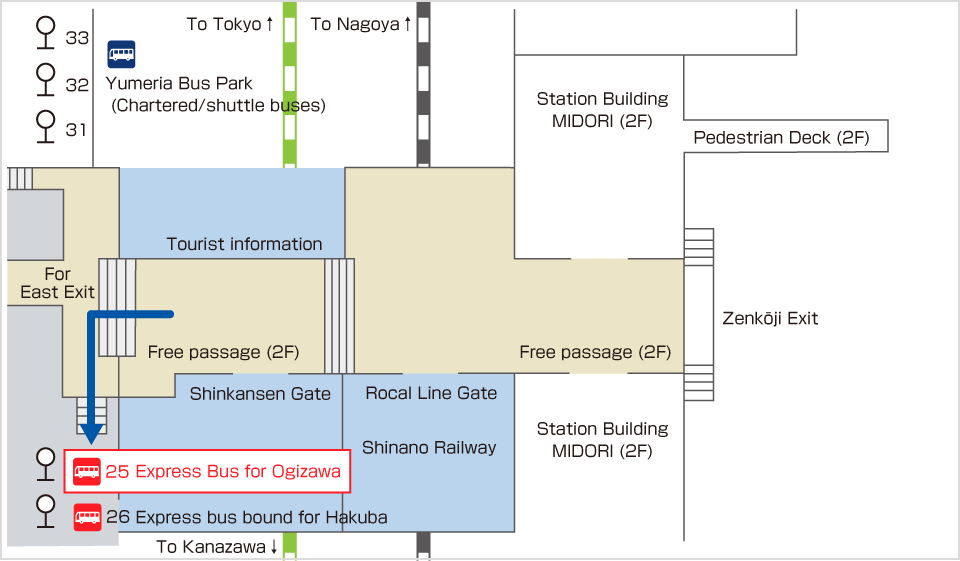
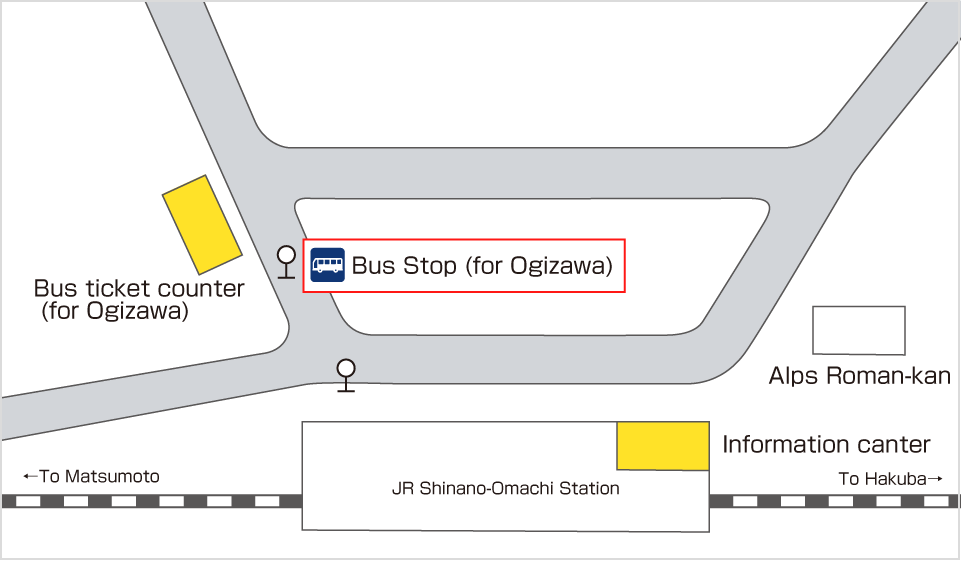
From Nagano sideHow to use Option Ticket from Nagano Station or Shinano-Omachi Station
Bus stop for Ogizawa Station
STEP3:Receive tickets
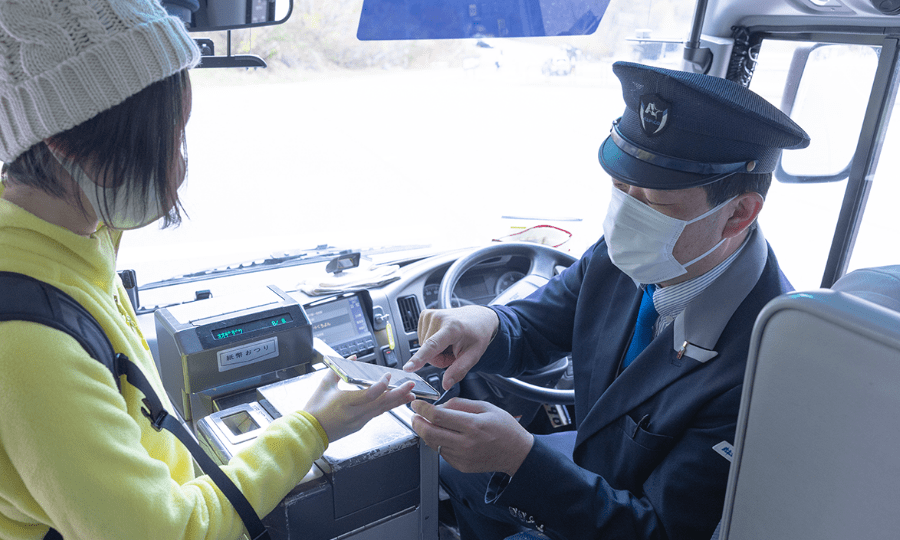
When boarding a bus at Nagano Station or Shinano-Omachi Station
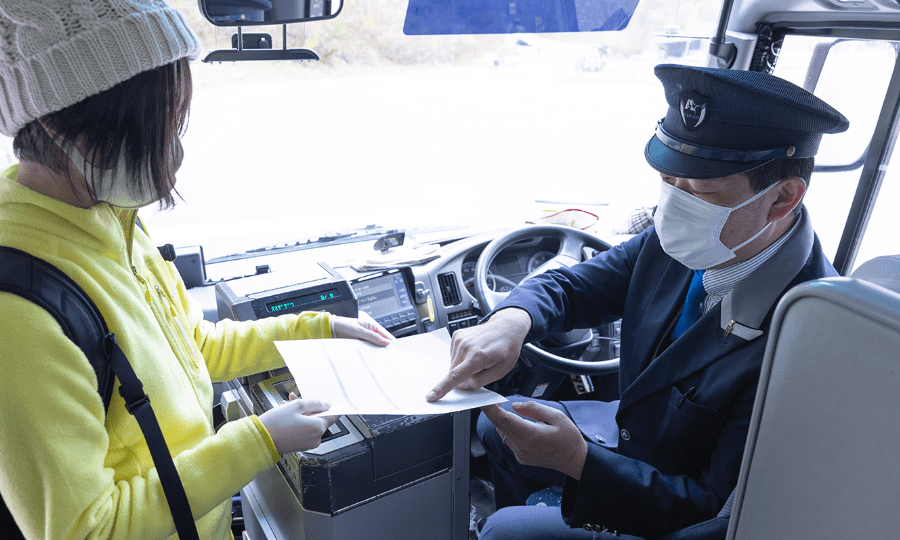
A piece of paper with the reservation details is also acceptable.
STEP3:Receive tickets
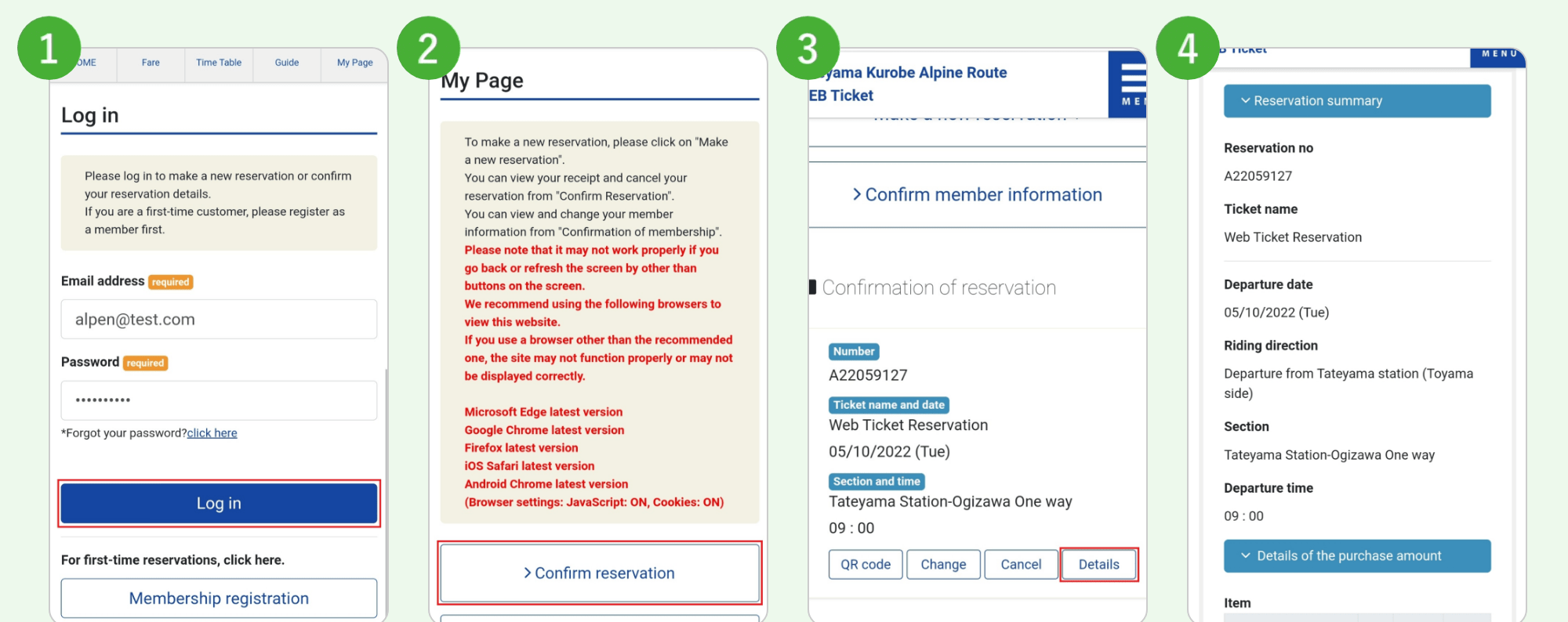
How to display the details of your reservation
② Click on "Confirm reservation".
③ Click on "Details”.
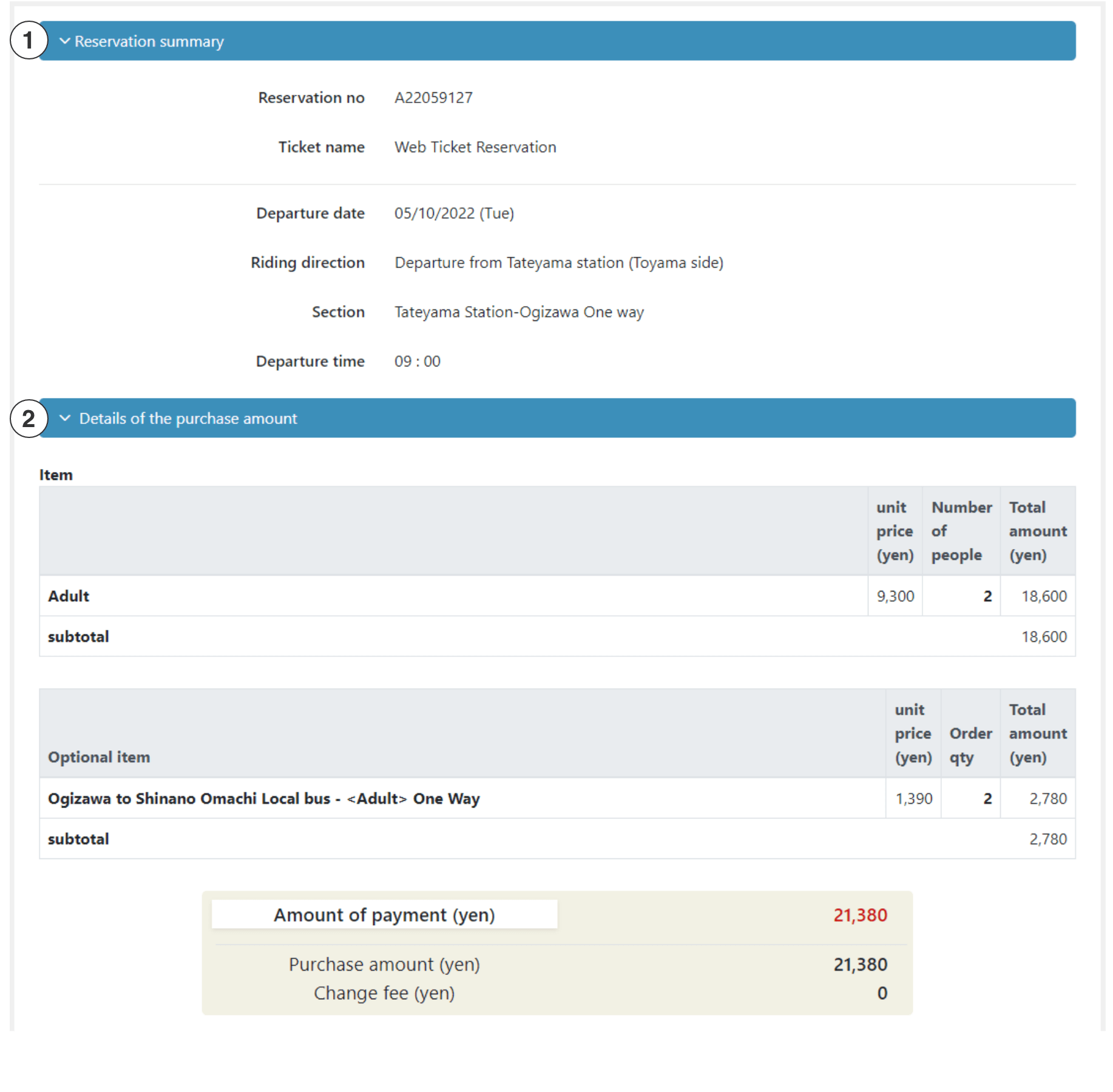
④ Show "Reservation summary" and "Details of the purchase amount" to the bus driver.
STEP3:Receive tickets
When using a piece of paper printed
STEP3:Receive tickets
After arriving at Ogizawa Station
Please receive your tickets by ticket machine at Ogizawa Station.How to issue tickets
If the Option Ticket is for a round trip, please give it to the bus driver when you board the return service.
If the ticket is for a one-way trip, please keep it as a copy for your own records.